
Book against recorded availability
Review staff working hours, approved leave and overlapping appointments. Check staff-service eligibility and room or equipment availability where configured.
Appointments for your business
Keep customer appointments, assigned staff and session notes together. Give your team a clear schedule to review before the next appointment.

Review staff working hours, approved leave and overlapping appointments. Check staff-service eligibility and room or equipment availability where configured.
Record the timezone and manage recurring appointments through reviewed series changes and exceptions. Keep attendee, payer and contact roles clear, and restrict private notes.
Review follow-ups and billing attention in the action centre. Use eligible service invoicing or attendance agreements, and record the supported application, refund or cancellation treatment of deposits.
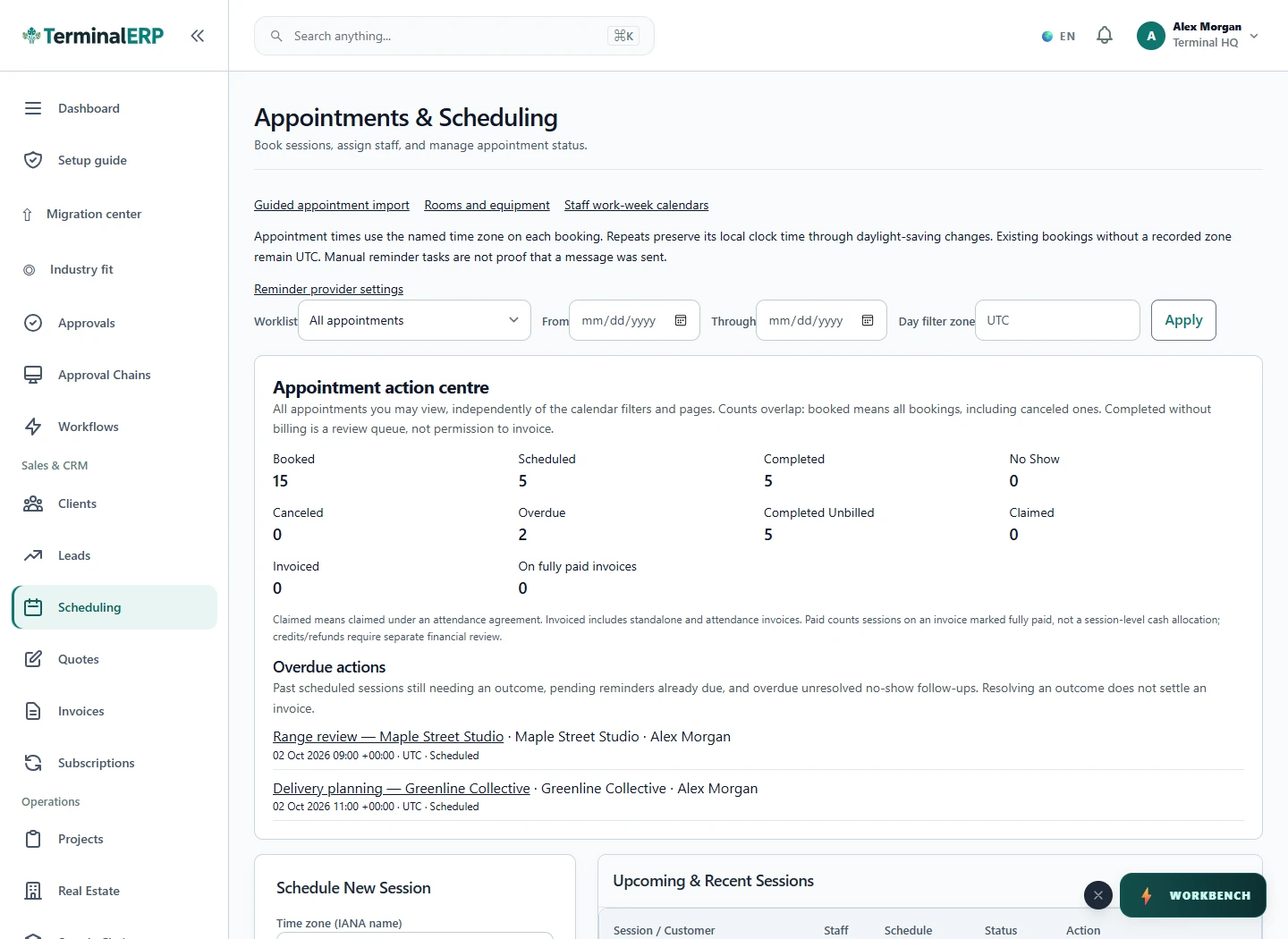
See upcoming and completed customer appointments in the working schedule. The interface shown below is a current product capture from the populated fictional TerminalHQ demonstration workspace.
Connect the booking to the next business step.
A training business schedules recurring sessions with an eligible instructor and available room. After a completed session, it reviews the attendance agreement or eligible invoice action and any recorded deposit.
Completion, invoicing and payment are distinct events. Confirm external reminder delivery separately; do not assume public self-booking or calendar synchronisation.
Review assigned bookings and the next follow-up through permitted phone workflows. Resource setup and complex financial review can continue in the browser.
Compare the plans or tell us how you want to use appointments.