
Schedule administrative appointments clearly
Review staff availability, service eligibility and configured resources. Keep attendee, payer and timezone details clear.
For healthcare practices
Keep staff appointment records, customer administration and ordinary billing organised within a clearly defined administrative scope.

Review staff availability, service eligibility and configured resources. Keep attendee, payer and timezone details clear.
Review the eligible service invoice or attendance agreement and deposit treatment while keeping clinical processes in their specialist systems.
A small practice still needs to know who is booked and which invoice needs attention. Use the administrative workflows that fit the practice, with appropriate care over the information entered.
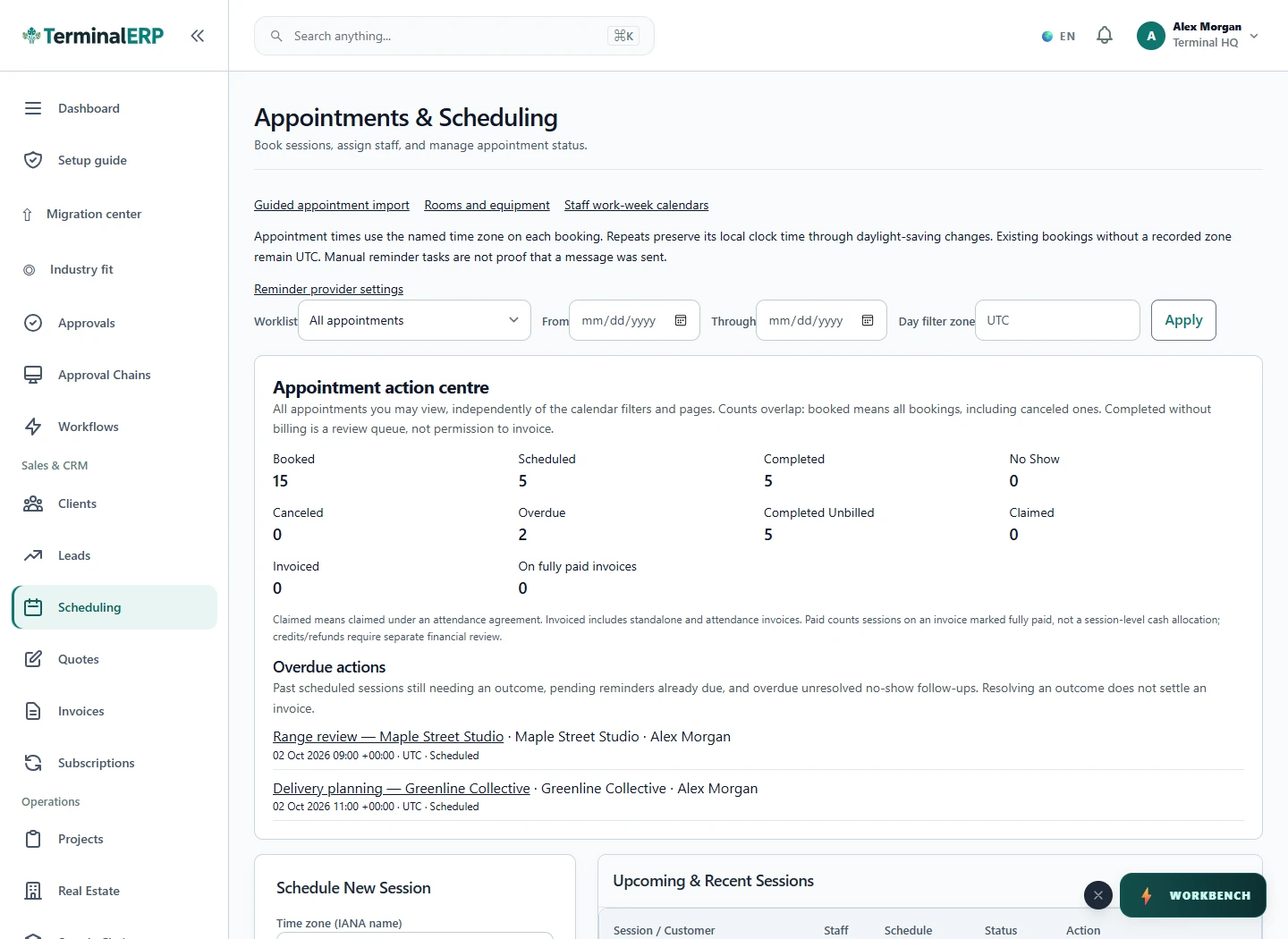
Connect the booking to the next business step.
A practice administrator checks staff and room availability before booking. After completion, the administrator reviews the eligible invoice and deposit while clinical records remain in the appropriate specialist system.
No. This page covers business administration. Assess sensitive-data and regulatory requirements before entering live information.
No. Review the actual billing and payment records separately.
Review staff-linked appointments and business billing with non-sensitive sample data before planning a live practice setup.
Keep appointment administration distinct from clinical charting and treatment records. Verify the specialist systems your practice needs.
Evaluate the business invoice and contact workflow separately from specimen handling, results and laboratory information systems.
Use a clear administrative appointment example while separately checking home-visit, telemedicine and sensitive-data requirements.
AI assistance
Prepare administrative appointment reminders and charge summaries for review.
Explore mobile access for administrative scheduling and ordinary business records. Confirm data-handling requirements separately before entering sensitive information.
Choose with clarity
Start with workflows shaped around the work you do, then check the specialist and regional requirements that matter to your business.
Choosing an industry configures the workspace. It does not turn TerminalERP into a certified specialist system or prove country-specific compliance.
Compare the plans or tell us the task you want to manage. Use a real example to decide whether the available workflow fits.