

Menu
Features

Custom fields for your business

Give recurring business details a proper place.

Add supported text, number and date fields to the relevant forms. Keep the details your team asks for with the record they describe.

Stop hiding useful details in notes

When the same question comes up on every job, a dedicated field can make the answer easier to find. Use a clear label that reflects your own business language rather than asking everyone to remember where the note belongs.
Start with one useful field

Choose a supported target form and a field type. Decide whether the information is required, then check the field where your team actually enters and reviews the record. A small, deliberate change is easier for colleagues to adopt.

Keep the record consistent

Review how the additional information is saved and displayed before adding more fields. Agree what the field means and who should complete it. This helps your team build a useful record without turning every form into a long questionnaire.

Custom fields in workspace settings

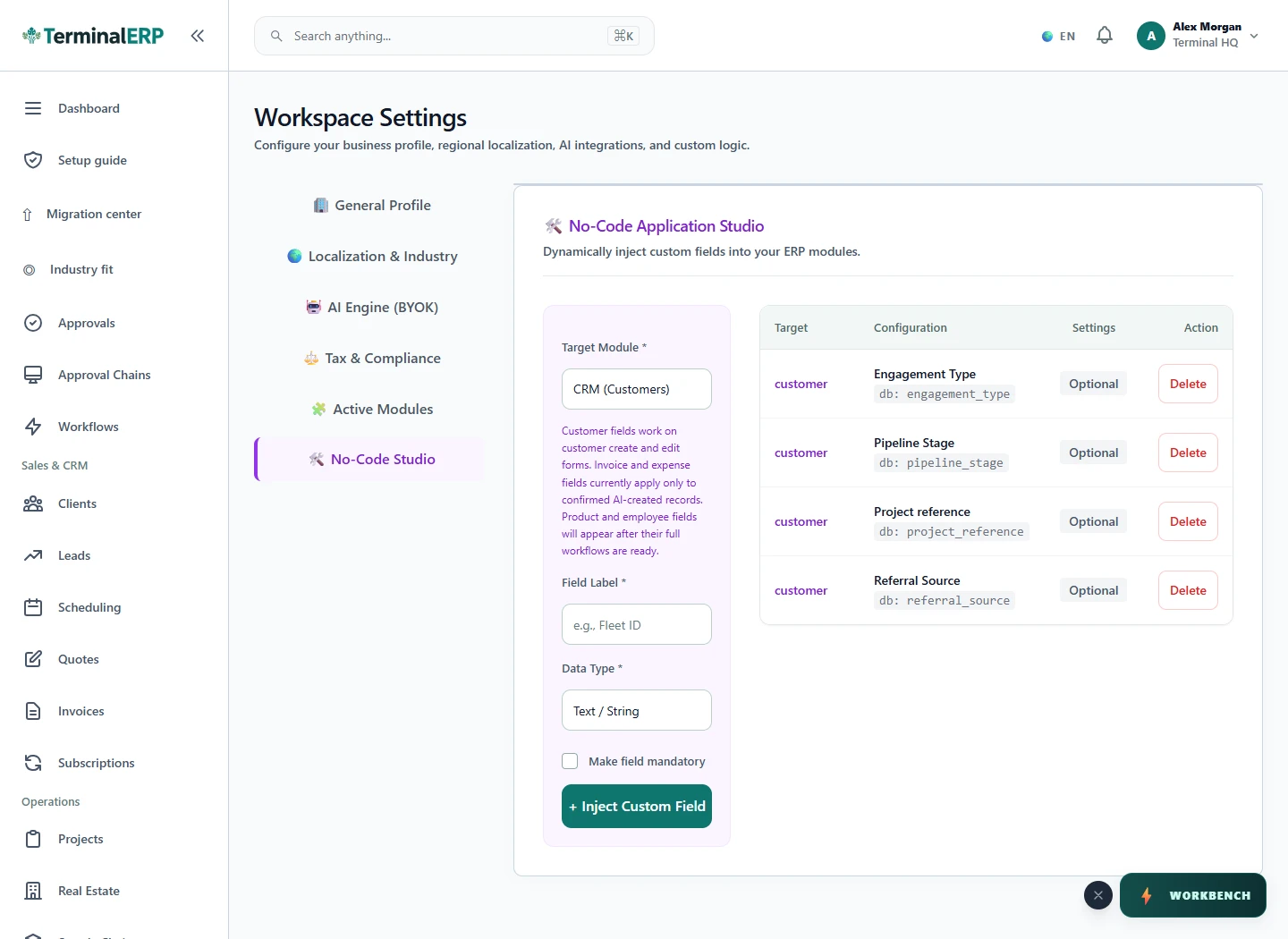
Add business-specific fields while keeping them attached to the relevant record type. The interface shown below is a current product capture from the populated fictional TerminalHQ demonstration workspace.

Current TerminalERP no-code field settings showing a saved customer field and creation controls.
Add business-specific fields while keeping them attached to the relevant record type.
View full screen (opens in a new tab)

How the workflow fits together

1. Identify a repeated information need.

2. Choose the supported target form and field type.

3. Add a clear label and required setting.

4. Save a sample record and verify the field.

Industry presentation

Start with a view that fits your work.

  1. Existing workspace records
  2. Supported industry configuration
  3. Relevant available modules
  4. Industry presentation

A practical example

For example: An agency repeatedly needs a campaign reference with its records. Where the target form supports custom fields, it adds one clearly labelled field and checks the saved value before rolling the change out to the team.

Check the fit for your business

Text, number and date fields are available on supported forms. Check the specific form and saved record before adding the field to your routine.

Make your next business review easier to prepare.

Compare the plans or tell us how you want to use custom fields.