
Menu
Industries

For property & real estate

Find the agreement behind the property record.

Organise properties, leases, upcoming expiry dates and deposit records alongside the business’s customer and accounting workflows.

Prepare for rent and renewal decisions

Keep lease dates, rent schedules, amendments, costs and approaching expiries together.

Explain each deposit movement

Record receipts, partial refunds and eligible renewal transfers. Apply a claim through a posted invoice for the same customer; the unsettled balance remains held.

A clearer record for the work around the work

A property name is only the start of the administrative story. The lease dates, customer and deposit record are what make a renewal or settlement conversation useful.
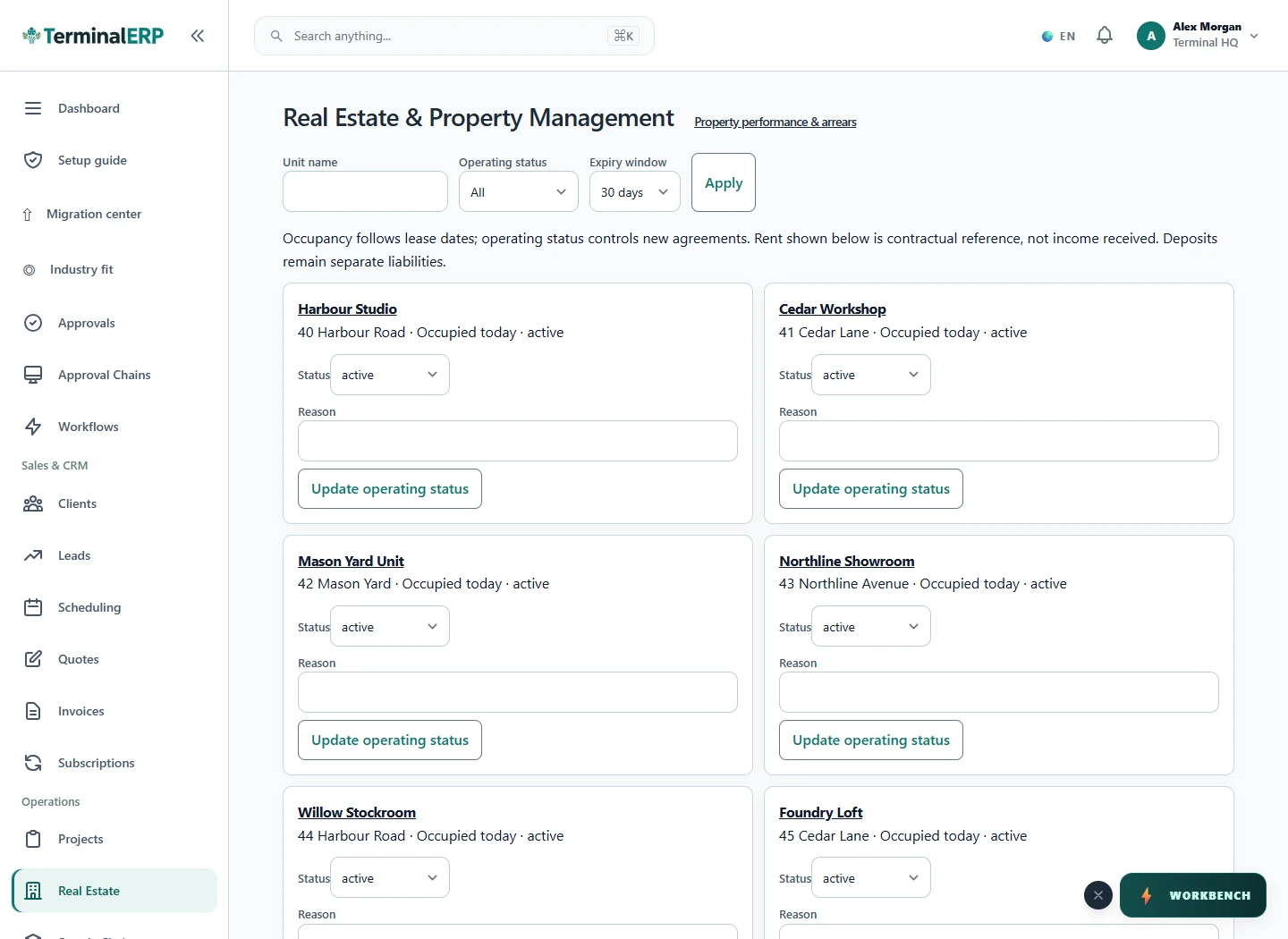
Keep property and lease details together.

Current TerminalERP property register showing commercial units and active lease records.
Review populated property and lease records with current occupancy information.
View full screen (opens in a new tab)

A working routine for your business

1. Review the lease and rent schedule.

2. Record deposit receipts.

3. Use a posted invoice for a supported claim.

4. Record a refund or eligible transfer and check the remaining balance.

Deposit movements

Explain each movement in the deposit balance.

  1. Property and tenant
  2. Lease dates and reference
  3. Deposit held: 1000
  4. Returned: 850
  5. Deducted: 150
  6. Settlement recorded: 1000
  7. Visible held balance
  8. Eligible renewal transfer

Picture it in your working day

A business holds a $1,000 deposit, records a supported $100 invoice-backed claim and refunds $900 separately. A partial refund can leave money held for later settlement.

Before you choose your setup

Can I deduct money directly in the refund form?

Use the separate invoice-backed claim workflow. The refund action does not accept a positive deduction as a combined shortcut.

Does a partial refund settle the whole deposit?

No. Review the remaining held liability and any claim or transfer before considering settlement complete.

Review lease context before the next property conversation. Explore mobile access and keep complex deposit or settlement decisions in the appropriate reviewed workflow.

Choose with clarity

What this industry setup includes—and what to confirm

Start with workflows shaped around the work you do, then check the specialist and regional requirements that matter to your business.

Choosing an industry configures the workspace. It does not turn TerminalERP into a certified specialist system or prove country-specific compliance.

Relevant workflows to explore

  • Properties & leasesProperties, leases, rent billing, and security-deposit records
  • Customers & contactsCustomer/contact records, statements, collections, and linked activity
  • Invoices & customer billingInvoices, receipts, credits, returns, refunds, and payment status
  • Bank records & reconciliationRecorded bank accounts, bounded statement import, match suggestions, and reconciliation; no bank connectivity or settlement claim
  • Accounting & reportsDouble-entry accounting, bounded financial reports, bookkeeping tax records, and period controls; no statutory filing or certification
  • Leads & follow-upsLead stages, ownership, follow-up dates, activities, and outcomes

What to confirm for your business

  • Maintenance requests, inspections, and owner/tenant portals
  • Jurisdiction-specific property, escrow, and trust compliance

Start with one workflow from your business.

Compare the plans or tell us the task you want to manage. Use a real example to decide whether the available workflow fits.