
Keep changes tied to their dates
Record supported employee changes with effective dates and retain the history needed for review.
Team records for your business
Keep employee details, documents and leave records in one workspace. Review upcoming document expiries and the information needed for your payroll routine.

Record supported employee changes with effective dates and retain the history needed for review.
Review entitlements, requests and approvals. Make approved leave available to relevant scheduling checks.
Use employee self-service for permitted leave and private payslip access. Apply sensitive-field permissions and review supported payroll-provider mappings separately.
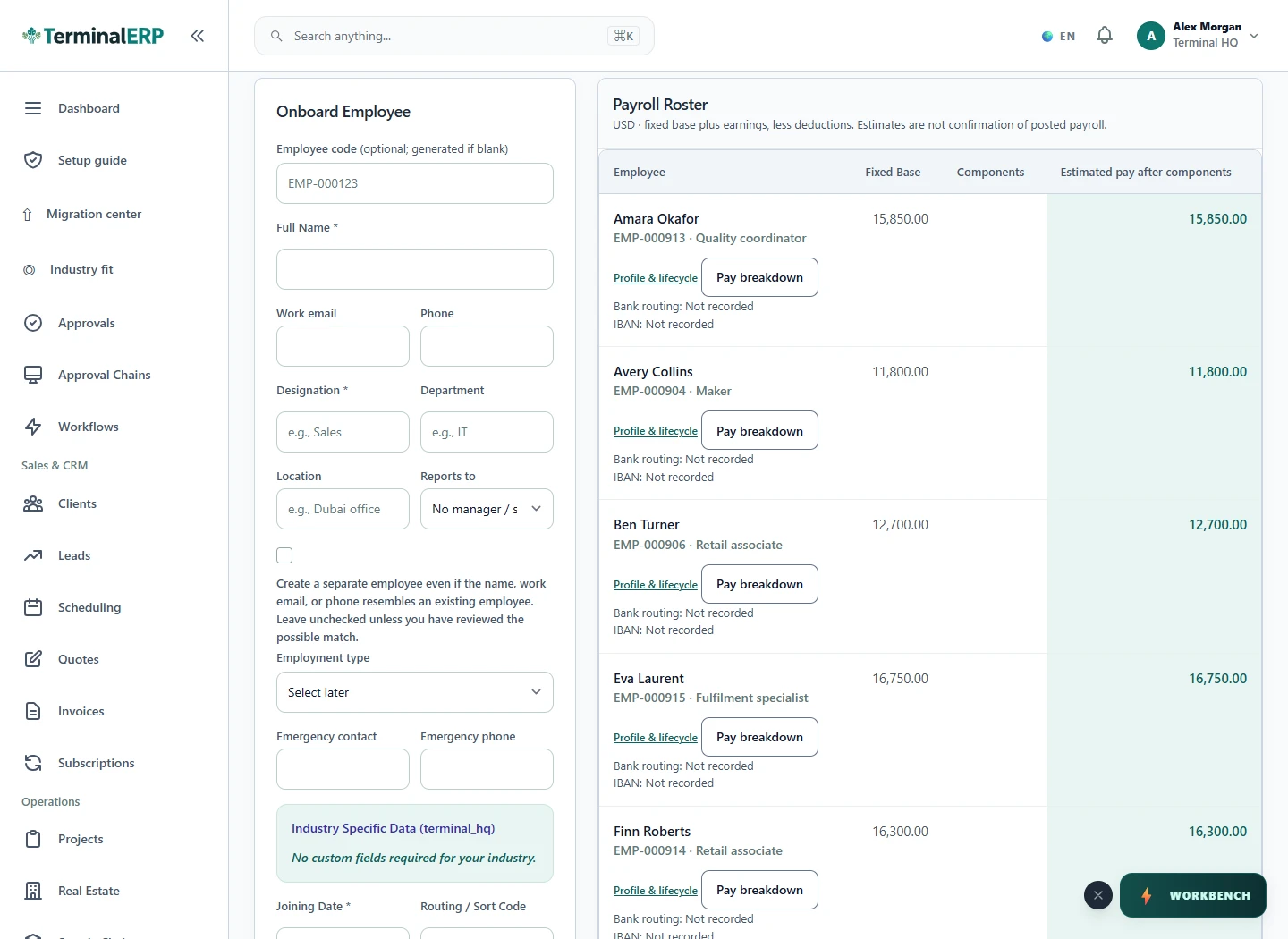
Keep staff records and time-sensitive document evidence visible to the responsible team. The interface shown below is a current product capture from the populated fictional TerminalHQ demonstration workspace.
An employee submits a leave request and views a private payslip through permitted self-service. The scheduler uses approved leave when reviewing availability.
Payroll recording does not prove wages reached a bank account. Confirm provider outcomes and country-specific requirements separately.
Let people reach their permitted leave and private payslip workflows through the available mobile access. A personal view does not grant broader payroll authority.
Compare the plans or tell us how you want to use team records.