
Keep location balances useful
Review stock by warehouse or location and inspect the transactions behind a quantity. Apply the available warehouse access and cost-visibility controls.
Stock & locations for your business
Review product quantities by location and record stock transfers. Give purchases, customer commitments and branch conversations a clearer stock reference.

Review stock by warehouse or location and inspect the transactions behind a quantity. Apply the available warehouse access and cost-visibility controls.
Use multi-line transfers and distinguish dispatch from receipt. Partial receipts keep the remaining quantity in view instead of treating the whole shipment as arrived.
Handle losses, approvals and corrections through the supported transfer workflow. Retain the source movement when investigating a difference.
See where stock is held and review movements between operational locations. The interface shown below is a current product capture from the populated fictional TerminalHQ demonstration workspace.
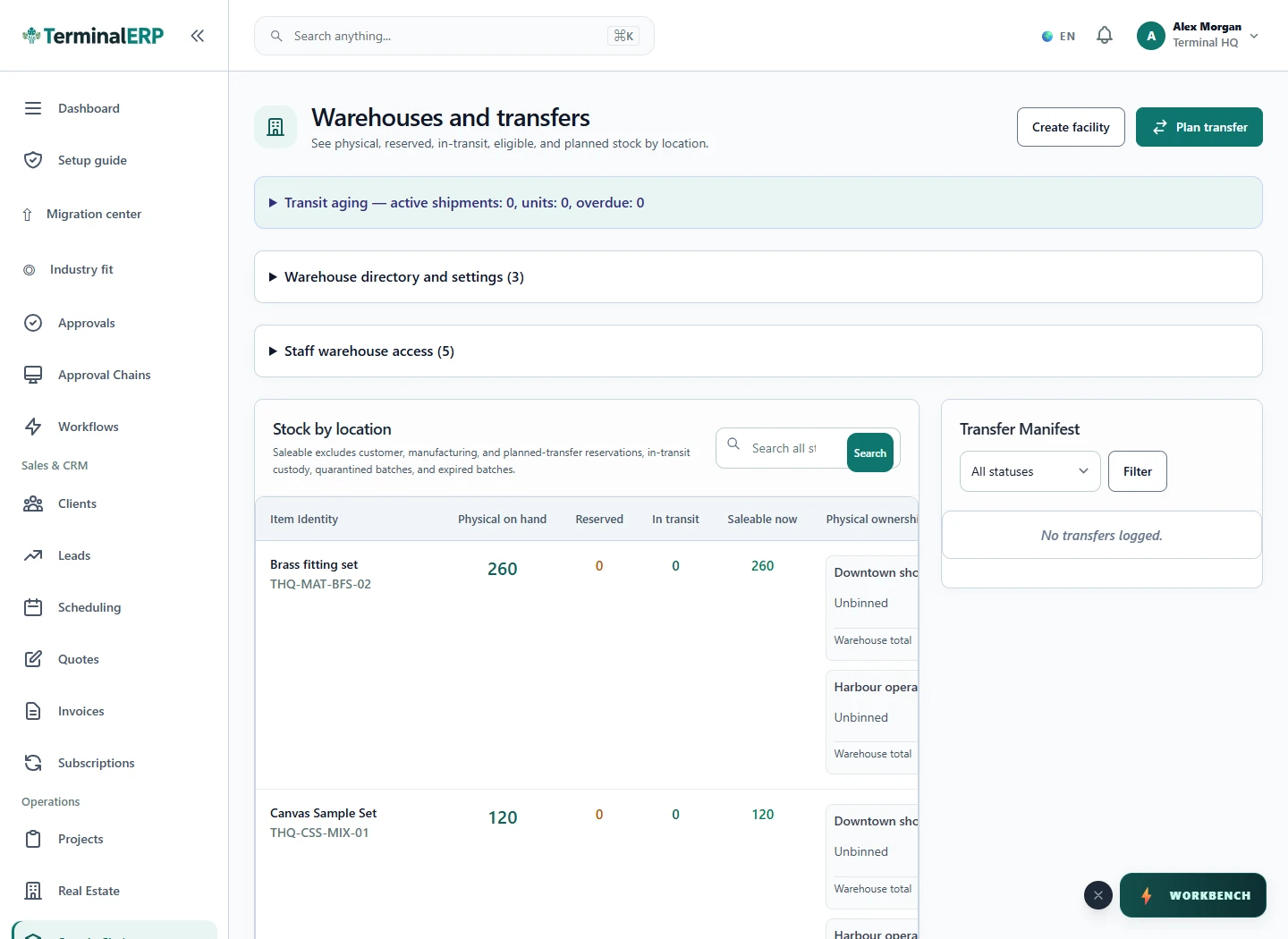
Know what left, what arrived and what needs attention.
A branch dispatches ten cartons. The receiving branch records eight received, leaving two to investigate through the in-transit and loss-review workflow.
A stock location is not a separate legal entity. Validate access and cost visibility for each warehouse role before use.
Bring stock questions to the relevant location. Explore supported phone lookup and warehouse tasks, and confirm the device and workflow before relying on them.
Compare the plans or tell us how you want to use stock & locations.