

Menu
Features

Counter sales for your business

Give the trading day a clear close.

Record counter sales, returned goods and till sessions. Compare counted cash with the expected amount and connect the close to your business records.

Start with the register and opening float

Open a till session for the relevant register. Where the register is linked to a stock location, supported product sales use that location’s recorded availability. The session gives the day’s activity a clear place to belong.
Record what was sold and returned

Enter the sale details and whether the payment was cash or card. Use the refund workflow for eligible returns, with the original sale and required payment-return information. A card method records how money was handled; your external card terminal still performs the transaction.

Make cash differences visible

At close, enter the cash you counted and compare it with the expected amount. The recorded variance gives the team a concrete item to investigate. Closing the session also posts the supported sales accounting, connecting the counter to the books.

Counter sales and saved receipt review

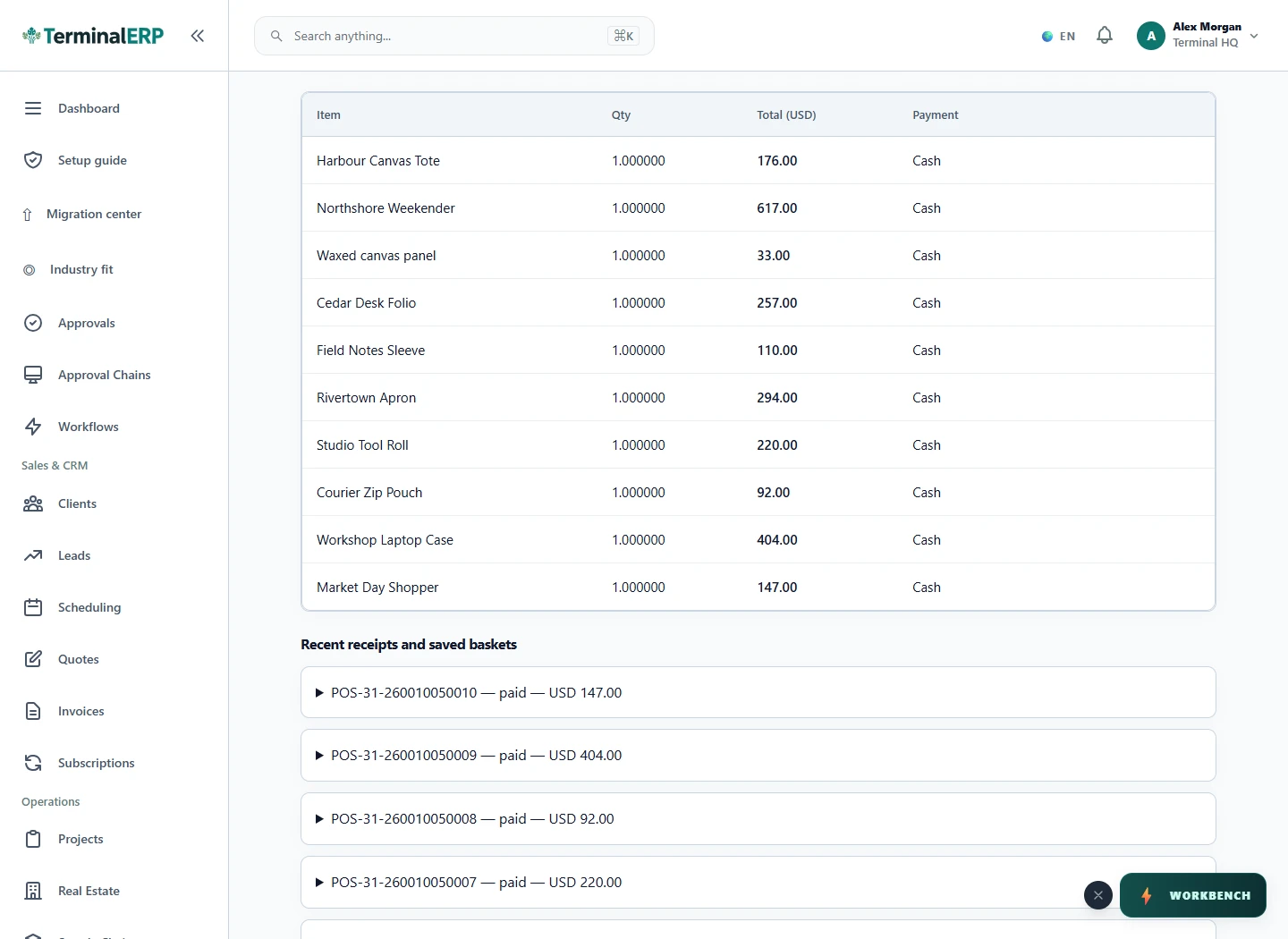
Review the recorded counter sales and saved receipts behind the active till session. The interface shown below is a current product capture from the populated fictional TerminalHQ demonstration workspace.

Current TerminalERP till register showing ten recorded counter sales with quantities, totals and payment methods.
Review the recorded counter sales and saved receipts behind the active till session.
View full screen (opens in a new tab)

How the workflow fits together

1. Open a register session and record its float.

2. Record cash or externally processed card sales.

3. Record eligible refunds and returned goods.

4. Count cash, close the session and review the recorded variance.

Till session

Finish the trading day with an explainable close.

  1. Choose register
  2. Open till session
  3. Record sales and refunds
  4. Review and close
  5. Review difference
  6. Close

A practical example

For example: a $100 float plus $300 of net cash sales gives expected cash of $400. A count of $395 shows a $5 shortage to investigate. Card receipts are reviewed separately.

Check the fit for your business

Card payments and card refunds are completed through your external terminal. TerminalERP records the payment method and the supported sale or return.

Make your next trading day easier to prepare.

Compare the plans or tell us how you want to use counter sales.