
Keep the relationship understandable
Review enquiry details and planned follow-ups with the relevant customer or contact context.
CRM & follow-ups for your business
Connect enquiries, follow-ups and customer identity before moving into the commercial workflow.

Review enquiry details and planned follow-ups with the relevant customer or contact context.
Choose individual or organisation and provide the required identity details, including the legal name for an organisation. Email is optional.
Check candidates based on the supported identity and contact signals. Confirm a genuinely different customer or use the supported reviewed merge process; matches do not automatically merge records.
A populated opportunity keeps the next customer conversation and its commercial context together. The interface shown below is a current product capture from the populated fictional TerminalHQ demonstration workspace.
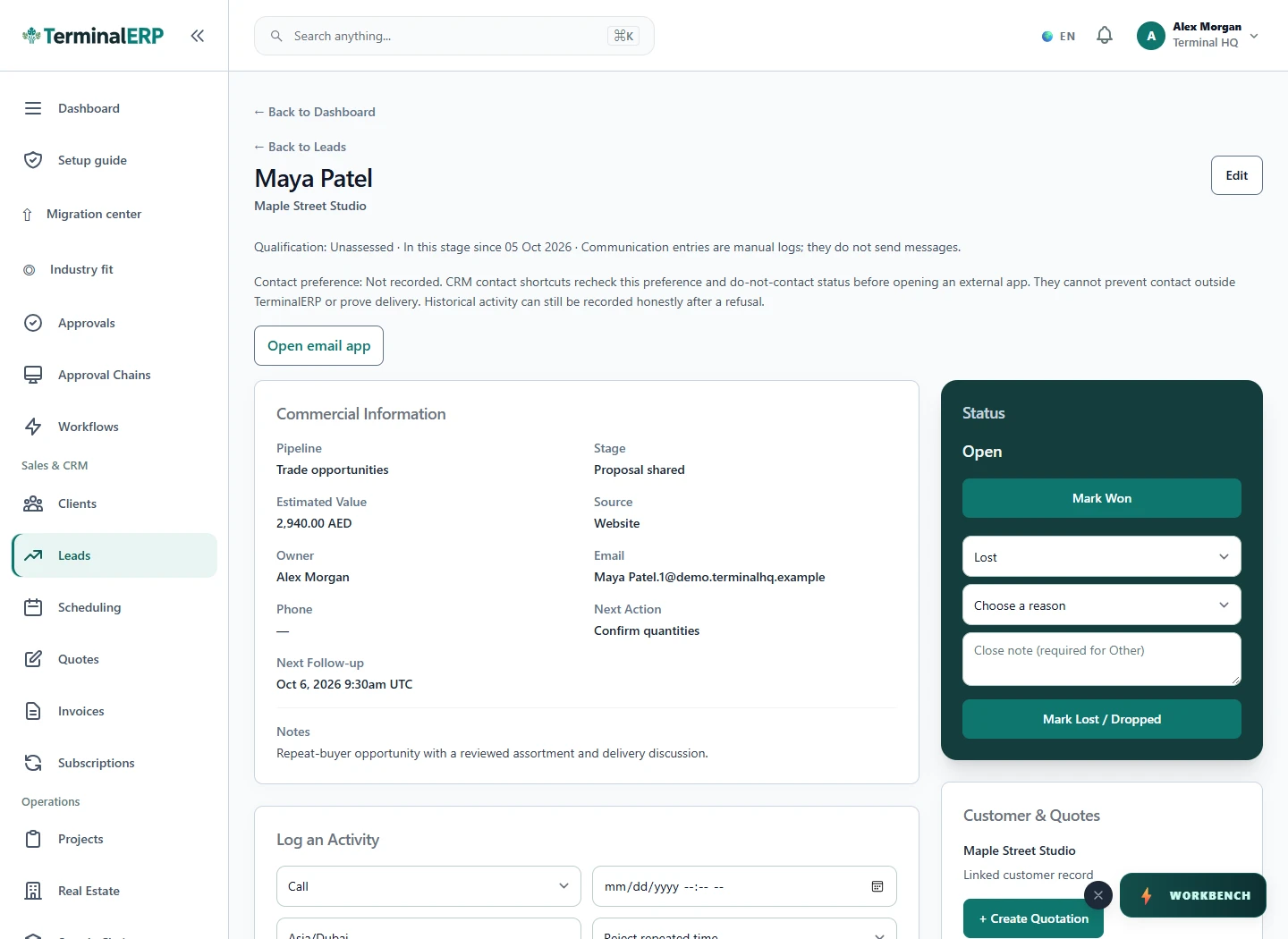
Keep the relationship before creating another record.
A team finds an existing organisation while reviewing a new enquiry and checks the related contact before creating a duplicate customer.
Keep duplicate review deliberate. A missing email address does not remove the other required identity fields.
Check customer context and keep the follow-up with the relationship through permitted phone workflows. Review browser access and the native companion’s current availability.
Compare the plans or tell us how you want to use crm & follow-ups.