
Menu
Industries

For dropshipping businesses

Keep the customer sale and supplier cost understandable.

Maintain customer, supplier and billing records for a business where goods may go directly from the supplier to the buyer.

Connect the customer and supplier records

Review the accepted offer, eligible billing handoff, supplier order and bill together.

Check what each status proves

Distinguish ordered goods, recorded receipt and customer payment. Landed costs use the supported received-inventory workflow.

A clearer record for the work around the work

You can sell goods without holding them, but you still need to understand the commercial record. Keep the customer commitment and supplier side available before treating an order as finished.
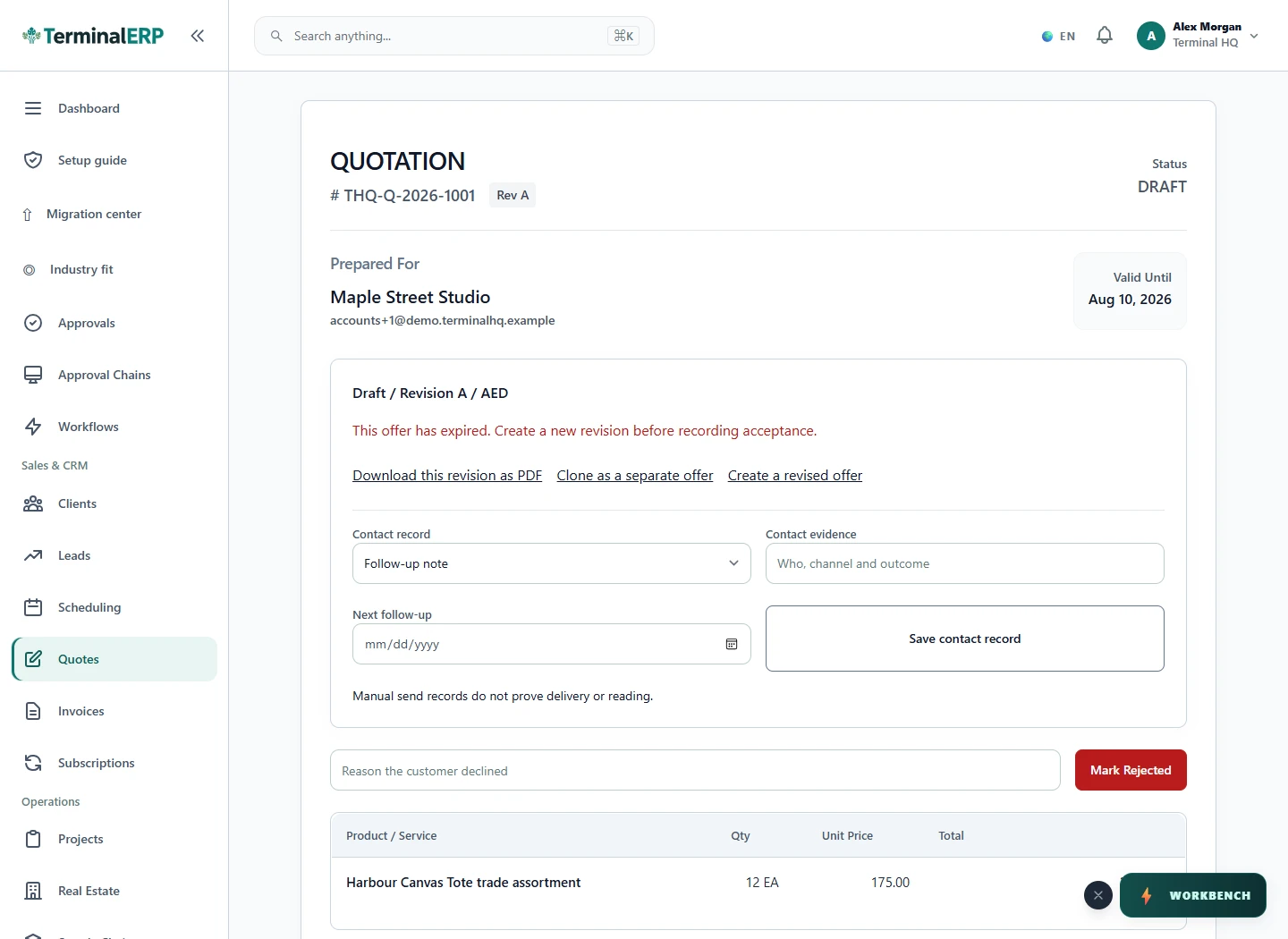
Keep the agreed details with your quotation.

Current TerminalERP accepted quotation showing customer, priced line items and available next actions.
Review an accepted quotation and its line items before moving to the next commercial record.
View full screen (opens in a new tab)

A working routine for your business

1. Record the customer agreement.

2. Maintain the supplier and relevant product details.

3. Record the supported sale and cost workflow.

4. Review the invoice and supplier records.

Quotation handoff

Choose the next step for the agreed work.

  1. Accepted quotation
  2. Eligibility checks
  3. Convert quotation
  4. Resulting invoice
  5. Needs review
  6. Needs review

Picture it in your working day

For example: A small seller records a customer sale for a supplier-fulfilled item and reviews the supplier cost alongside the customer invoice.

Before you choose your setup

Does a supplier order prove customer delivery?

No. Confirm shipment and delivery through the actual supplier and channel process.

Is an automatic supplier marketplace connection included?

Do not assume one. Validate the exact integration and its supported operations.

A closer look at your speciality

Single-Supplier Direct Model

Keep customer billing and the supplier’s charge identifiable for each representative order, without recording stock as if you physically hold it.

Multi-Supplier Aggregator

Distinguish supplier references and charges so similar products do not blur the cost review. Automatic routing remains a separate integration requirement.

Print-on-Demand (POD)

Organise the commercial record for the product and supplier cost. Artwork submission, printing and delivery remain with the production provider.

AI assistance

Put AI to work for your business.

Review margin calculations and prepare a shipping-delay message.

Explore AI assistance

Choose with clarity

What this industry setup includes—and what to confirm

Start with workflows shaped around the work you do, then check the specialist and regional requirements that matter to your business.

Choosing an industry configures the workspace. It does not turn TerminalERP into a certified specialist system or prove country-specific compliance.

Relevant workflows to explore

  • Invoices & customer billingInvoices, receipts, credits, returns, refunds, and payment status
  • Suppliers & purchasingSuppliers, purchase orders, receipts, bills, payments, returns, and three-way matching
  • Customers & contactsCustomer/contact records, statements, collections, and linked activity
  • Products & inventoryProduct catalog, availability, stock movements, counts, returns, and reorder attention
  • Expenses & approvalsExpense capture, evidence, approval, and accounting posting
  • Bank records & reconciliationRecorded bank accounts, bounded statement import, match suggestions, and reconciliation; no bank connectivity or settlement claim

What to confirm for your business

  • Supplier storefront/order synchronization and live fulfillment status
  • Automated routing, tracking, and marketplace settlement imports

Start with one workflow from your business.

Compare the plans or tell us the task you want to manage. Use a real example to decide whether the available workflow fits.