Menu
Features

TERMINALERP ON YOUR PHONE

Keep business moving when you step away from your desk.

A customer has a question. A receipt needs recording. A colleague is waiting for a decision. Bring those everyday moments back to the same TerminalERP workspace, with phone-friendly browser access and a native companion being prepared for Android and iPhone.

Keep the next step close to the work

You should not have to reconstruct every small task at the end of the day. Use the phone-friendly browser for permitted workspace tasks. The native companion’s implemented workflows focus on practical actions like these; availability depends on release status, your role and the modules enabled for your workspace.

Go into the customer conversation prepared.

Find customer and contact details, review the relevant history and keep the next follow-up connected to the relationship. Native customer views provide selected information, with deeper administration continuing in the browser.

Move an offer towards a decision.

Review quotations, record follow-up and use supported acceptance, revision and conversion actions. Keep eligibility and the accepted offer in view before moving into billing.

Capture the expense while the details are fresh.

Record the expense and attach the relevant receipt through the supported workflow. Check the amount, category and business context before confirming.

Keep today’s work visible.

Review assigned appointments and project tasks, update supported outcomes and record time against the right customer or project. Time still follows the agreement and approval requirements.

Give a waiting decision your attention.

Open the approvals available to your role and inspect the underlying record before deciding. A phone action follows the same permission and business rules.

Check the stock question where it arises.

Use supported item lookup and available warehouse tasks. Scanner and physical-device suitability need to be confirmed for your setup; a scan is not proof of receipt or shipment.
One working day, fewer loose ends

Before a visit, check the customer record. After the conversation, record the next step. When a purchase happens, capture the expense and its receipt. At the end of the job, record the time and review what needs approval. The useful outcome is a clearer record for the next person—not a second set of notes to reconcile later.

Illustrative workflow: Customer context → Phone task → Review and confirm → Recorded result → Continue in browser when needed.

Work away from the desk

Keep the next step close to the work.

  1. Customer conversation
  2. Permitted phone task
  3. Review and confirm
  4. Server result
  5. Continue review in browser
  6. Lost response
  7. Check recorded result

See the current product on a phone

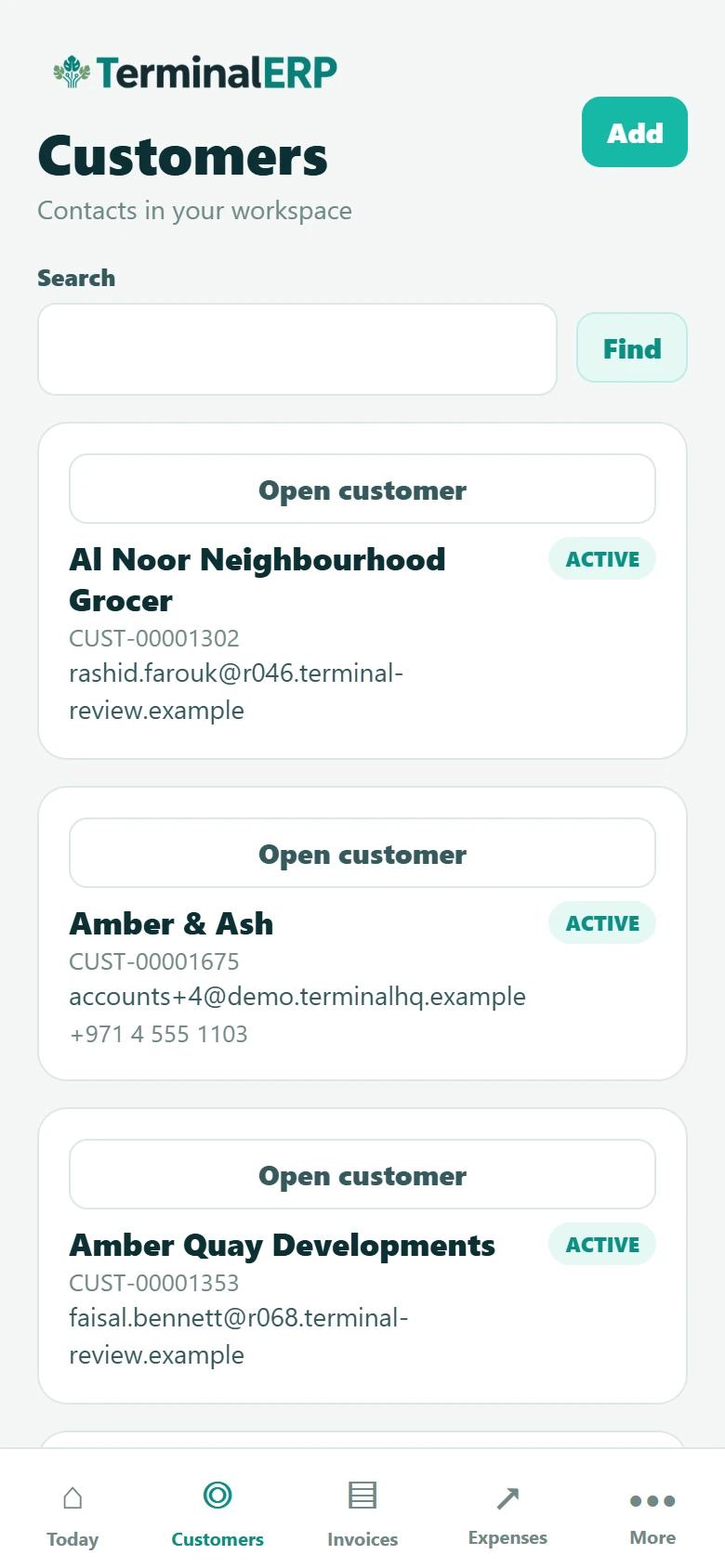
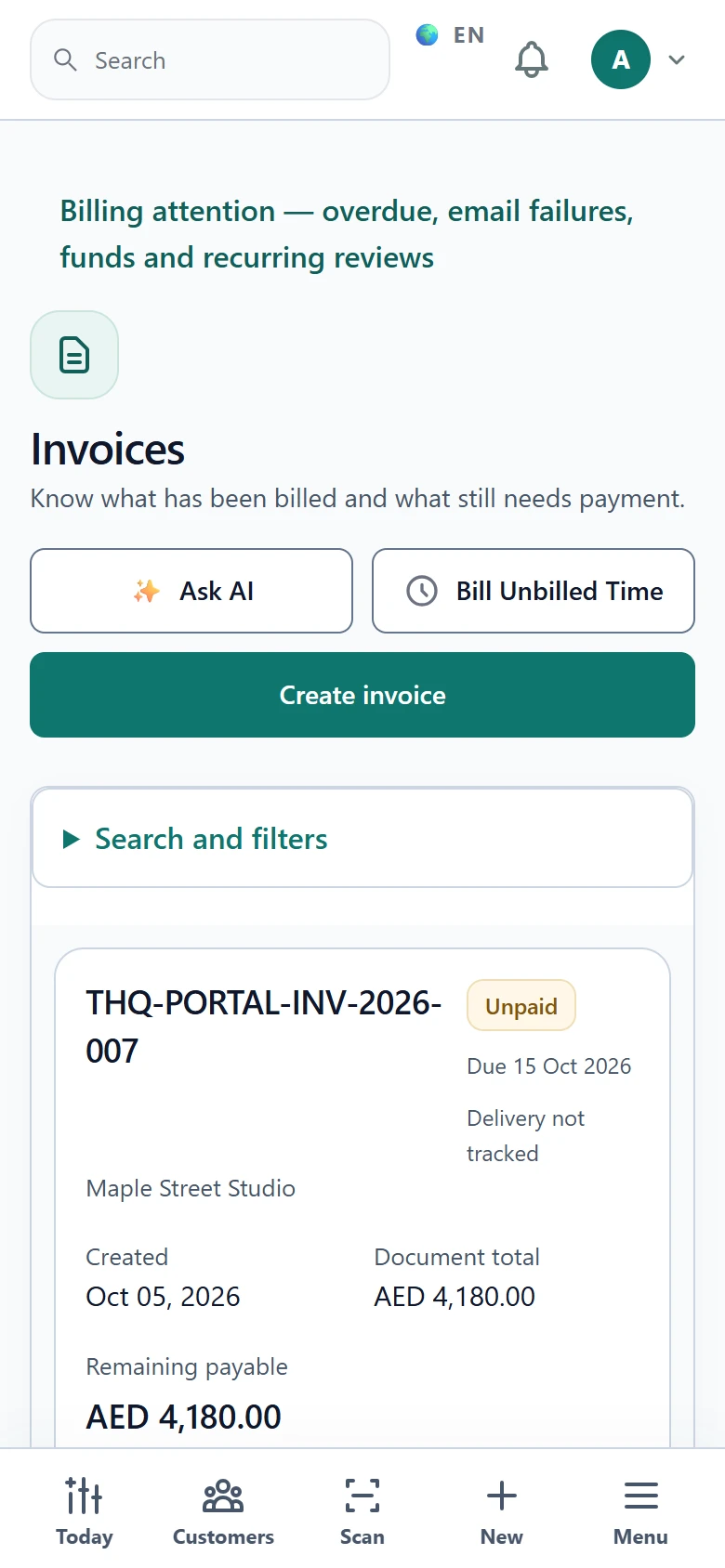
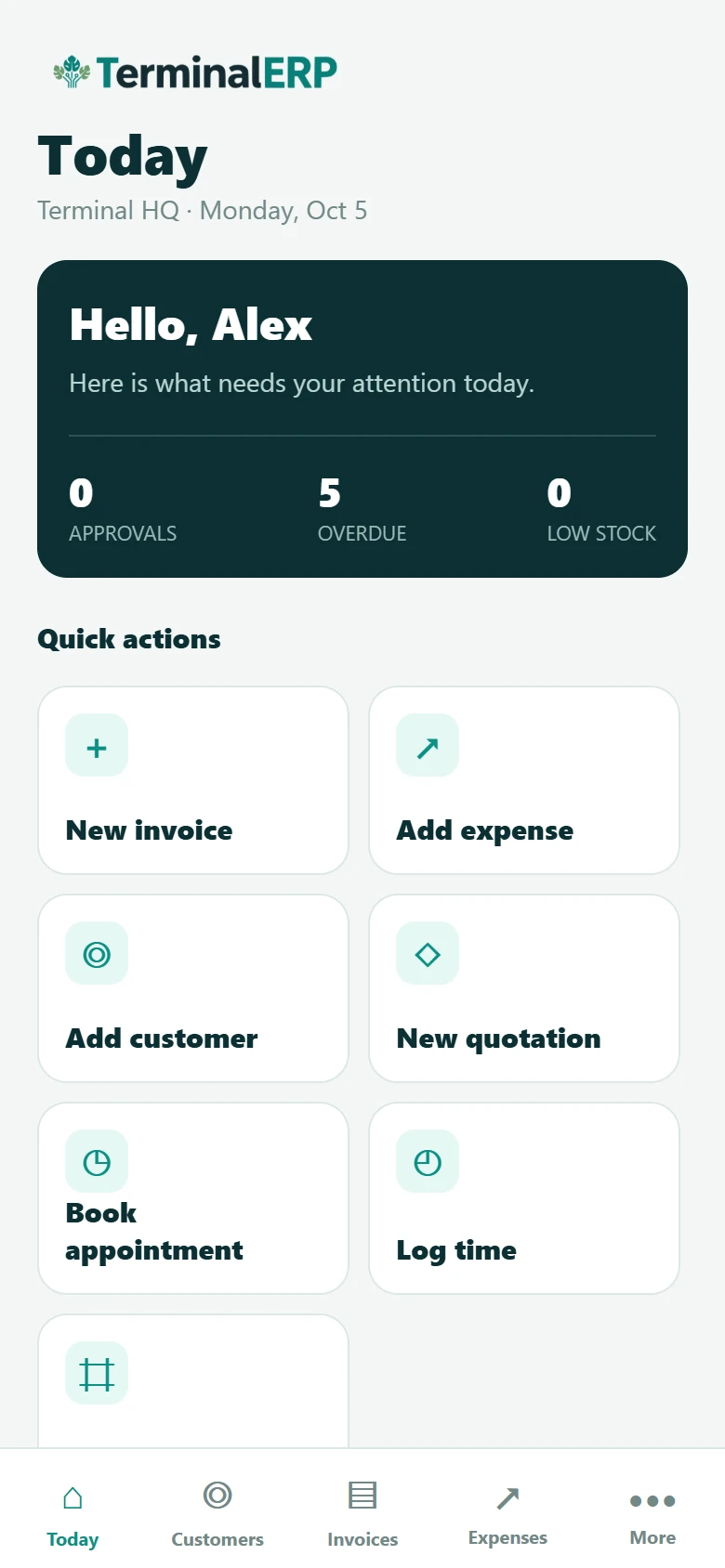
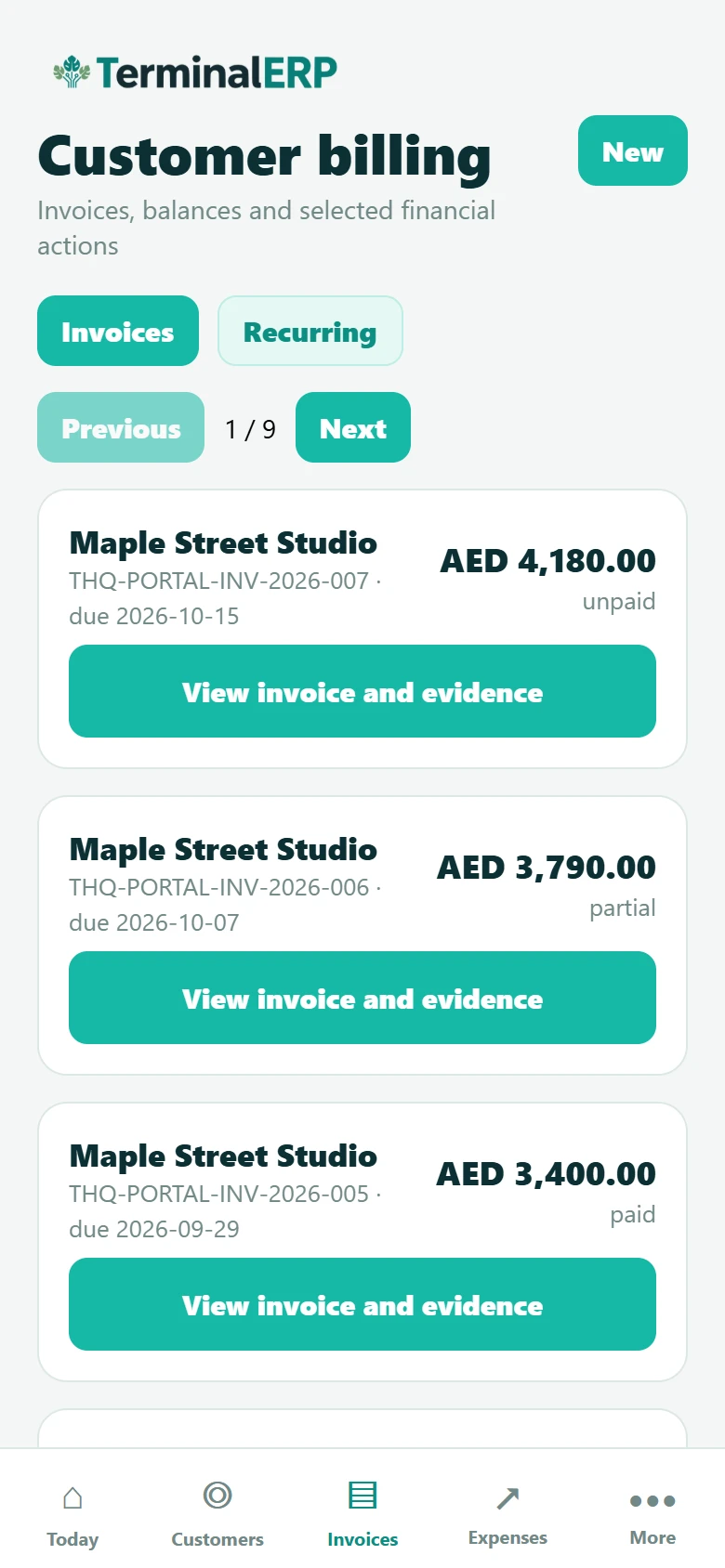
These are current TerminalERP product screens with fictional records from a populated three-month workspace. Use the native mobile app for focused daily actions such as checking priorities, customers and invoices. Use the responsive browser when a task needs the fuller workspace workflow.

Current TerminalERP mobile app Today screen showing priorities and common business actions.
Use the native mobile overview to check priorities and begin common tasks away from a desk.
View full screen (opens in a new tab)
Current TerminalERP mobile app customer billing screen showing populated invoices, balances and statuses.
Review customer invoices and remaining balances in the native mobile app.
View full screen (opens in a new tab)
Current TerminalERP mobile app customer list showing populated contact records and statuses.
Find customer contact records from the native mobile workspace.
View full screen (opens in a new tab)
Current TerminalERP browser invoice register on a phone showing an invoice balance and payment status.
Use the responsive browser when a fuller invoice workflow is needed on a phone.
View full screen (opens in a new tab)

Choose the right place for the task

Mobile browser

Best suited to: Permitted workspace tasks from a phone or tablet.

What to know: Uses the existing workspace and access rules; detailed work can be easier on a larger screen.

Home-screen browser shortcut

Best suited to: Returning to the web workspace quickly on compatible devices.

What to know: Browser installation support varies. This is not an App Store or Google Play download.

Native Android and iPhone companion

Best suited to: Selected customer, sales, expense, approval and team workflows.

What to know: Implemented in the product and being prepared for release. Confirm current availability before planning adoption.

Desktop browser

Best suited to: Setup, bulk changes, detailed reconciliation and complex administration.

What to know: Some native actions hand off to these fuller browser workflows.

The same business, with deliberate access

A phone should not give someone broader access than their work requires. Workspace permissions and record scope still apply. The native companion includes device-session controls and selected private-document workflows; use the permitted records and actions for your role.

Employees can use the implemented self-service workflows for relevant leave and private payslip access when enabled. Finance, warehouse and administration responsibilities remain subject to their own permissions. Access to a mobile screen does not grant the whole module.

Different team members connected to the records relevant to their work.
Roles and record scope still apply on a phone.

Review the result before moving on

Use an internet connection for workspace records and changes. After an interrupted response, check the recorded result or the recovery information offered by that workflow before repeating an action. Do not assume a financial or stock change has been saved offline and will sync later.

Understand mobile access and browser handoffs

Start with the tasks your team repeats

Choose two or three real examples: a customer follow-up, an expense with a receipt, a time entry or a waiting approval. Check the role, workflow and device arrangement before extending mobile access across the team.

Explore customer and sales workflows · Review project time and billing · Explore appointment administration

Bring us the task you want to handle on your phone

Tell us where your team works and which decisions happen away from a desk. We can help you check the browser workflow and the current native-app availability against that everyday task.