

What this guide helps you do
Keep property, tenant, lease dates, rent, and deposit settlement evidence connected.
Before you start
- The property and customer or tenant records exist.
- The signed lease dates, annual rent, and held deposit are known.
- Deductions have supporting evidence and approval.
Step by step
- Open Properties and select the relevant property and lease.
- Review the customer, contract number, start date, end date, rent, and held deposit.
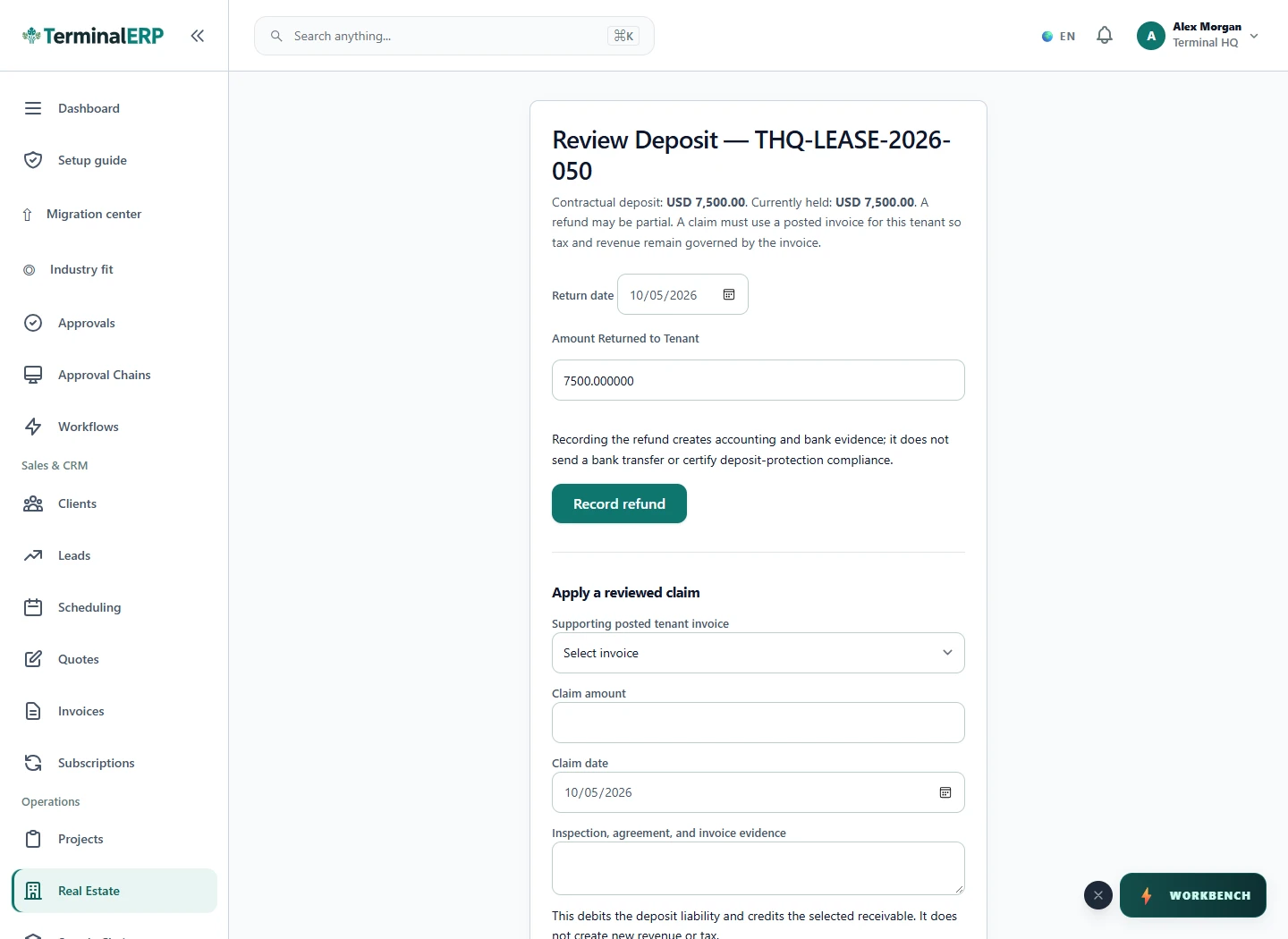
- At settlement, open the deposit-return workflow and record the amount returned or deducted.
- Describe and support every deduction instead of netting it silently.
- Confirm the settlement only when the bank movement and lease record agree.
Find the workflow on screen
Check the result
- The lease belongs to the intended property and customer.
- Returned plus deducted amounts reconcile to the held deposit.
- The settlement date and supporting evidence are retained.
If something does not look right
- Stop before confirming, posting, paying, deleting, or retrying the same submission.
- Check the workspace, record identifier, date range, status, permissions, and source evidence.
- Refresh once and search for the record before creating a replacement, so a slow response does not produce a duplicate.
Common problems and what to check
- The deposit-return page will not open: confirm that a deposit receipt was recorded and that an amount is actually held. A contractual deposit value alone is not receipt evidence.
- A claim cannot be applied: check the tenant, supporting posted invoice, available held amount and custody-bank requirements. Recording a refund creates ERP evidence; it does not send a bank transfer or certify deposit-protection compliance.
When to contact support
If the source evidence and permissions are correct but the result is still wrong, send the page address, record number, exact message, time of the attempt, expected result, and what you already checked. Never include passwords, API keys, payment-card details, or private provider secrets.