
What this guide helps you do
Create and maintain customer subscriptions with visible cycles, quantities, next billing dates, and exceptions.
Before you start
- The customer and billed product or service exist.
- The billing cycle, start date, quantity, price, and tax treatment are agreed.
- You know whether the first period needs proration.
Step by step
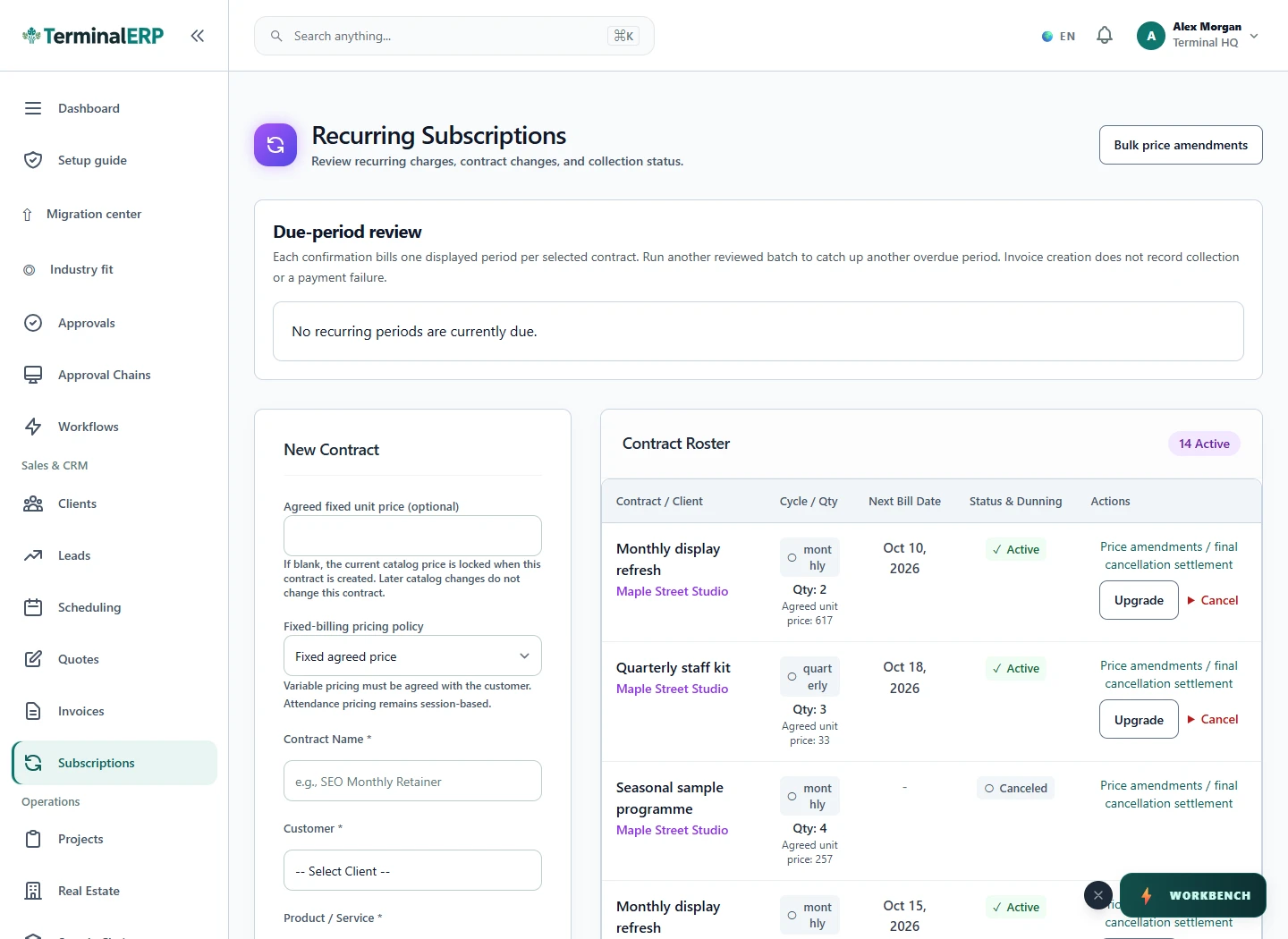
- Open Subscriptions and create or select the recurring agreement.
- Choose the customer, product or service, quantity, billing cycle, and start date.
- Review the next billing date before saving.
- Use pause for a temporary stop; do not delete history to hide an inactive agreement.
- Review failed attempts and proration balances before the next billing run.
Find the workflow on screen
Check the result
- The next billing date is plausible for the selected cycle.
- Paused and active subscriptions are clearly distinguishable.
- Any generated invoice remains traceable to the customer and period.
If something does not look right
- Stop before confirming, posting, paying, deleting, or retrying the same submission.
- Check the workspace, record identifier, date range, status, permissions, and source evidence.
- Refresh once and search for the record before creating a replacement, so a slow response does not produce a duplicate.
Common problems and what to check
- No new invoice appears: check active versus paused status, the next billing date and failed-attempt information. Search existing invoices before retrying.
- The amount changed mid-period: review the amendment date, quantity and proration evidence instead of replacing an already issued invoice.
When to contact support
If the source evidence and permissions are correct but the result is still wrong, send the page address, record number, exact message, time of the attempt, expected result, and what you already checked. Never include passwords, API keys, payment-card details, or private provider secrets.