

What this guide helps you do
Create reusable label templates and use QR or code scans to return to the correct product, batch, or asset record.
Before you start
- The item code, batch, or asset record is unique and current.
- Printer scaling can remain at 100 percent.
- The label dimensions fit the actual media and scanner.
Step by step
- Open Batches and serials, then Inventory label templates.
- Create or choose a template for product or batch labels.
- Review dimensions, QR size, displayed fields, and default status.
- Print a small test at 100 percent scaling.
- Scan the test label and confirm it opens the intended record before printing a full run.
Find the workflow on screen
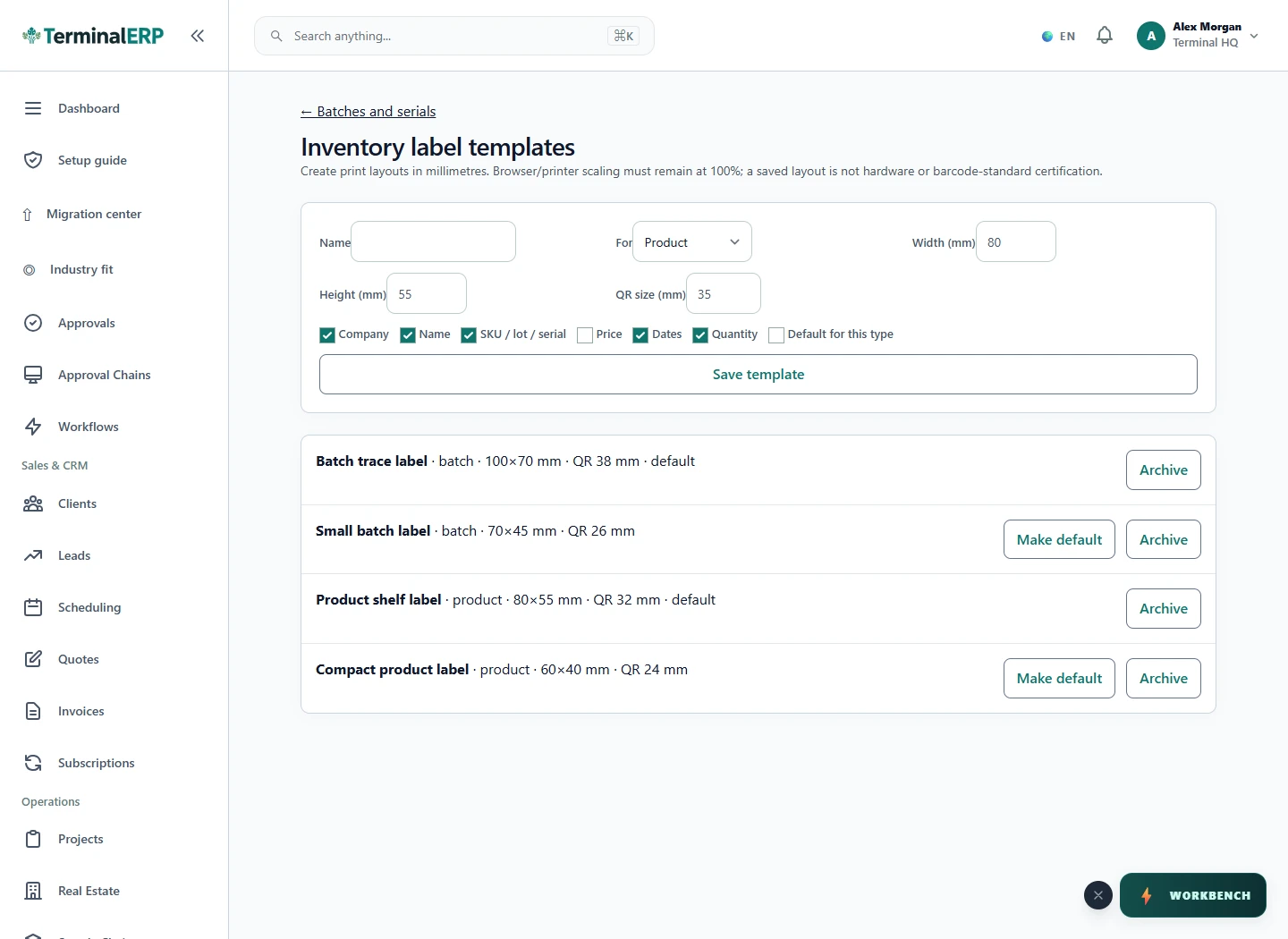
Check the result
- The code resolves to one record only.
- The label remains readable after normal handling.
- Archived templates are not selected for new print jobs.
If something does not look right
- Stop before confirming, posting, paying, deleting, or retrying the same submission.
- Check the workspace, record identifier, date range, status, permissions, and source evidence.
- Refresh once and search for the record before creating a replacement, so a slow response does not produce a duplicate.
Common problems and what to check
- The code is unreadable: test printer scaling, label dimensions, QR size and contrast on the actual printer and scanner.
- The wrong record opens: verify the unique product or batch identifier and its printed label before a full print run.
When to contact support
If the source evidence and permissions are correct but the result is still wrong, send the page address, record number, exact message, time of the attempt, expected result, and what you already checked. Never include passwords, API keys, payment-card details, or private provider secrets.