

What this guide helps you do
Check the bill of materials, planned quantity, material requirement, status, and completion evidence for production.
Before you start
- The output product and bill of materials exist.
- Required material products and their unit quantities are current.
- The production location has enough available stock or an approved shortage plan.
Step by step
- Open Manufacturing and select the work order.
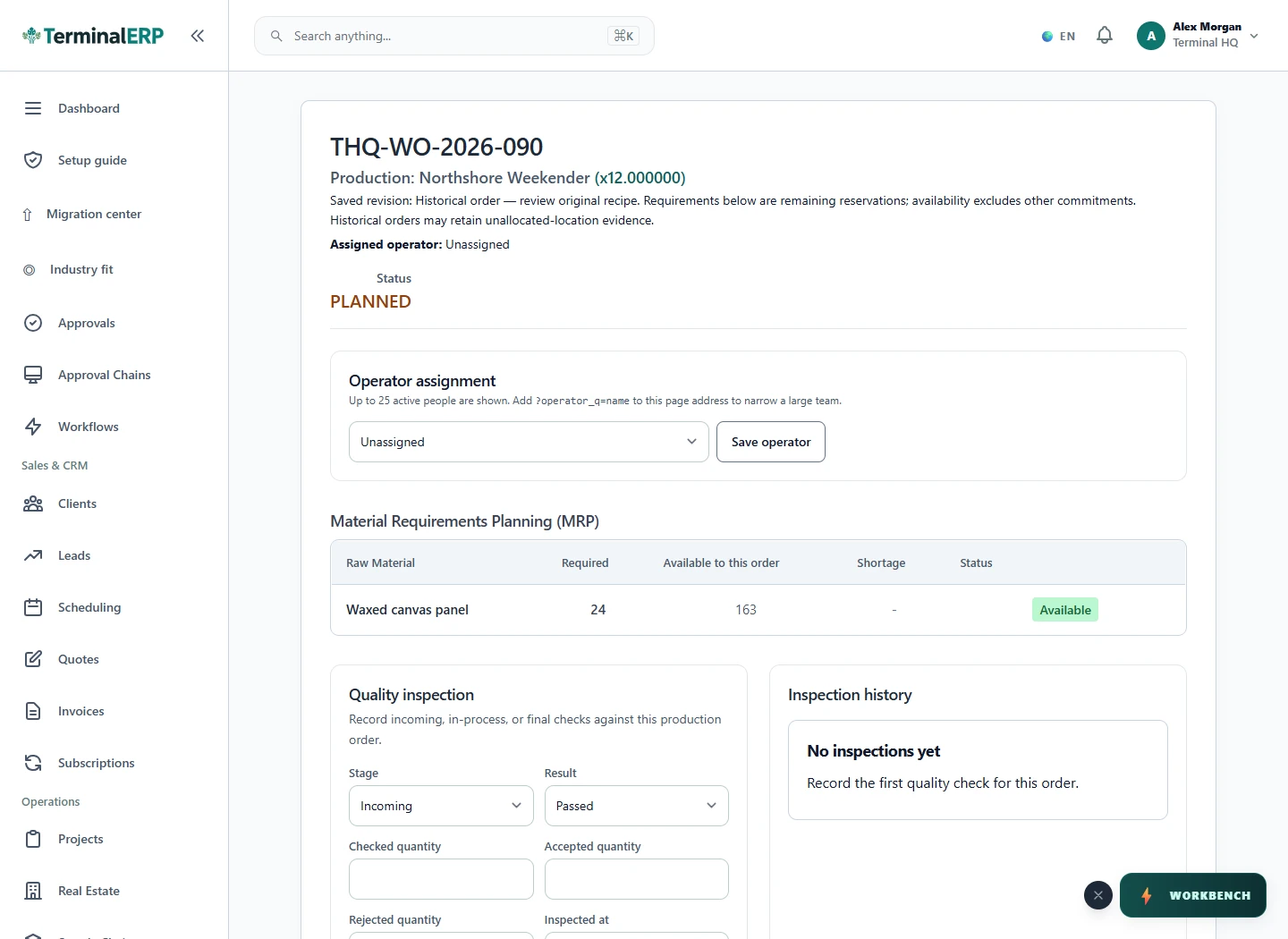
- Review the output product, quantity to produce, production date, and bill-of-material revision.
- Compare planned material quantities with available stock and reservations.
- Move the order through its supported statuses as work actually progresses.
- Record actual material use and completed output before closing the order.
Find the workflow on screen
Check the result
- Material requirements use the intended BOM revision.
- Actual usage is not confused with planned usage.
- Completed output and stock movement evidence agree.
If something does not look right
- Stop before confirming, posting, paying, deleting, or retrying the same submission.
- Check the workspace, record identifier, date range, status, permissions, and source evidence.
- Refresh once and search for the record before creating a replacement, so a slow response does not produce a duplicate.
Common problems and what to check
- Materials are short: check the production warehouse, reservations, batch availability and BOM quantities. A product total can include stock at another location.
- Completion is blocked: review the order status, recorded actual usage and period-lock message. Do not change planned values to imitate completed output.
When to contact support
If the source evidence and permissions are correct but the result is still wrong, send the page address, record number, exact message, time of the attempt, expected result, and what you already checked. Never include passwords, API keys, payment-card details, or private provider secrets.