

What this guide helps you do
Use anomaly findings as review prompts while keeping a human responsible for every accounting decision.
Before you start
- Expenses for the period are recorded.
- You can access both Expenses and Intelligence for the full review scope.
- Source documents are available for flagged records.
Step by step
- Open Intelligence and choose a bounded review period.
- Start one scan and let it finish before starting another.
- Review each finding against the original expense, supplier, date, amount, project, and supporting document.
- Mark a finding reviewed or resolved only after recording the outcome.
- Correct the source record through its normal workflow; do not edit a finding to hide the issue.
Find the workflow on screen
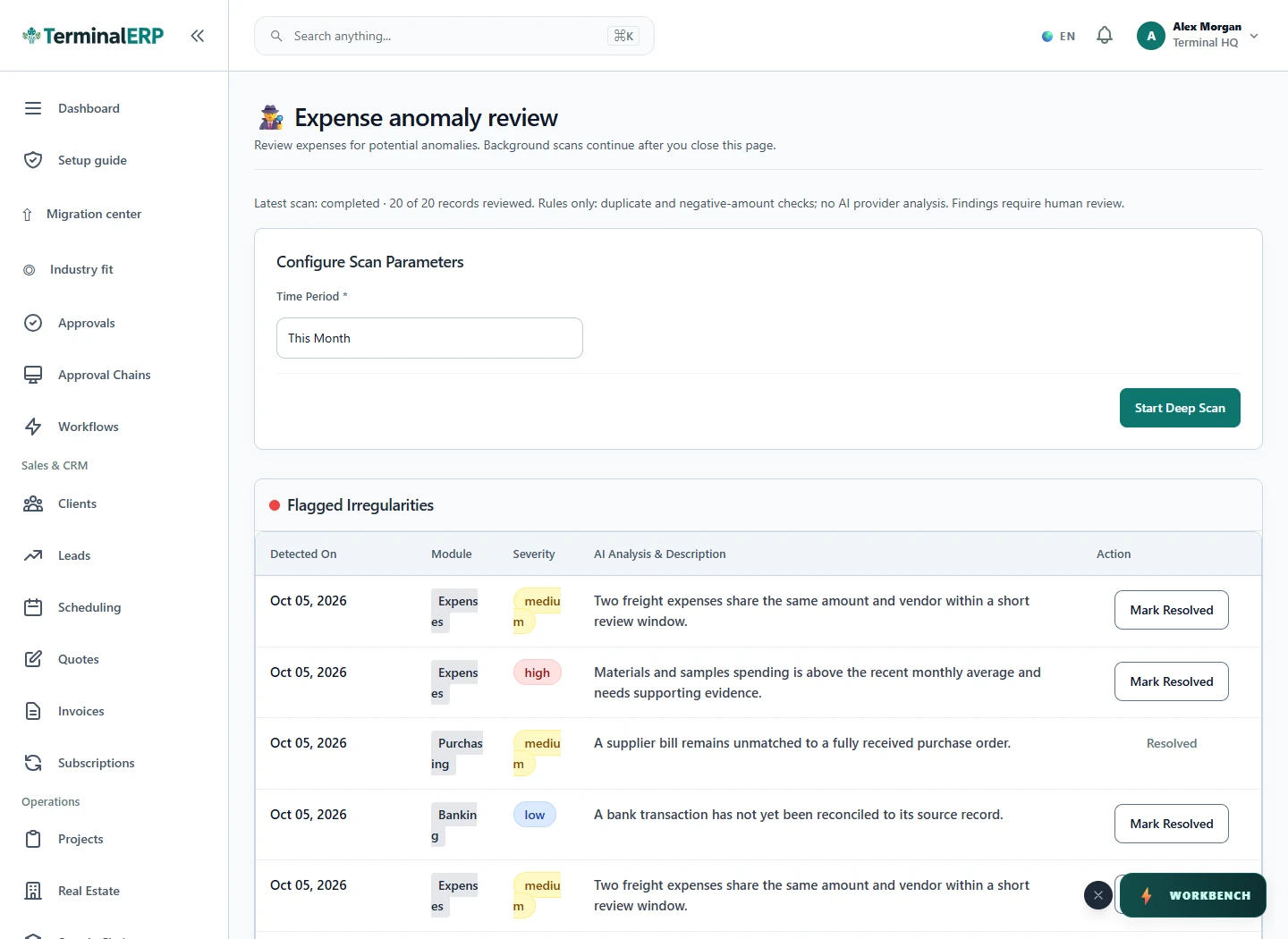
Check the result
- A finding is treated as a signal, not proof of wrongdoing.
- Duplicate or unusual amounts are checked against source evidence.
- The final status reflects an accountable human review.
If something does not look right
- Stop before confirming, posting, paying, deleting, or retrying the same submission.
- Check the workspace, record identifier, date range, status, permissions, and source evidence.
- Refresh once and search for the record before creating a replacement, so a slow response does not produce a duplicate.
Common problems and what to check
- A scan is still running: check its period and job status before starting another scan.
- A finding seems wrong: compare it with the source record and supporting evidence. A pattern is not proof of fraud, and resolving a finding does not correct the underlying expense.
When to contact support
If the source evidence and permissions are correct but the result is still wrong, send the page address, record number, exact message, time of the attempt, expected result, and what you already checked. Never include passwords, API keys, payment-card details, or private provider secrets.