

What this guide helps you do
Route sensitive work to the right reviewers without giving every user owner-level access.
Before you start
- Create the required workspace roles first.
- Decide which record type needs approval and who owns each stage.
- Keep an owner as the final reviewer when the decision requires owner authority.
Step by step
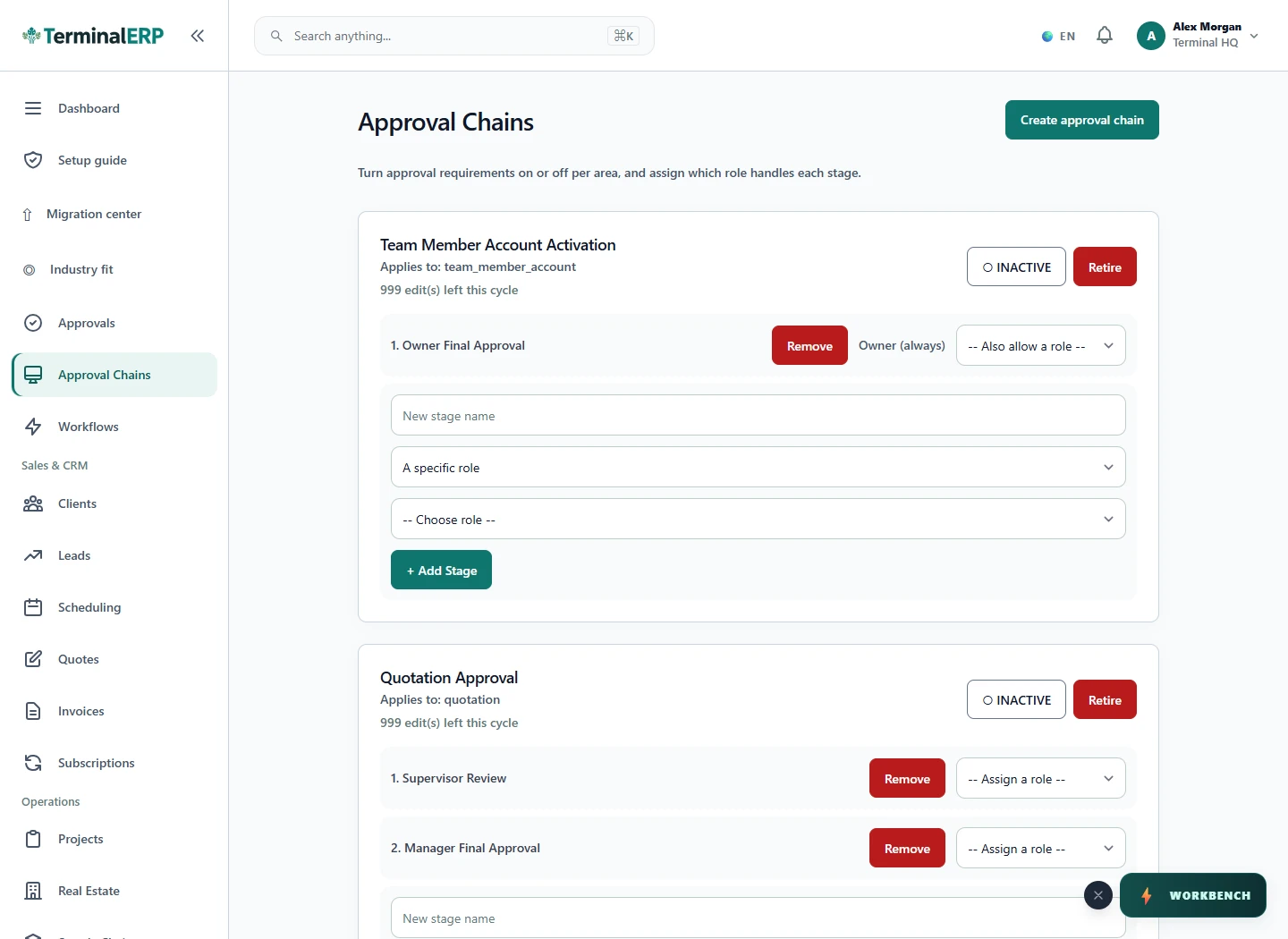
- Open Approval Chains in workspace settings.
- Create a chain for the relevant subject, such as an expense.
- Add stages in the order they should be completed and assign a role or the workspace owner.
- Activate the chain only after reviewing every stage.
- Submit a low-risk test record and confirm that it reaches the expected reviewer.
Find the workflow on screen
Check the result
- The chain is active for the intended subject type.
- Each reviewer can see only the work their role permits.
- Rejected or returned records retain their decision history.
If something does not look right
- Stop before confirming, posting, paying, deleting, or retrying the same submission.
- Check the workspace, record identifier, date range, status, permissions, and source evidence.
- Refresh once and search for the record before creating a replacement, so a slow response does not produce a duplicate.
Common problems and what to check
- The reviewer sees no task: check the subject type, active/default chain, stage order and whether an active user holds the selected role.
- A chain cannot be edited: check any edit limit shown by the page. Do not bypass the limit or delete a chain used by existing records.
When to contact support
If the source evidence and permissions are correct but the result is still wrong, send the page address, record number, exact message, time of the attempt, expected result, and what you already checked. Never include passwords, API keys, payment-card details, or private provider secrets.