

What this guide helps you do
Work out whether a missing page or action is caused by plan access, module access, role permission, record scope, legal-entity scope, or ownership rules.
Before you start
- Note the exact page, action, user, and record involved.
- Check whether the problem affects one user or the whole workspace.
- Do not promote a user to owner merely to bypass a permission problem.
Step by step
- Confirm the workspace plan includes the relevant module.
- Open the user’s role and review view, create, edit, approve, and delete permissions for that module.
- Check record scope, branch or warehouse scope, and restricted legal-entity settings.
- Confirm the record belongs to the same workspace and allowed entity.
- Sign out and back in after an authorised role change, then retest the exact action.
Find the workflow on screen
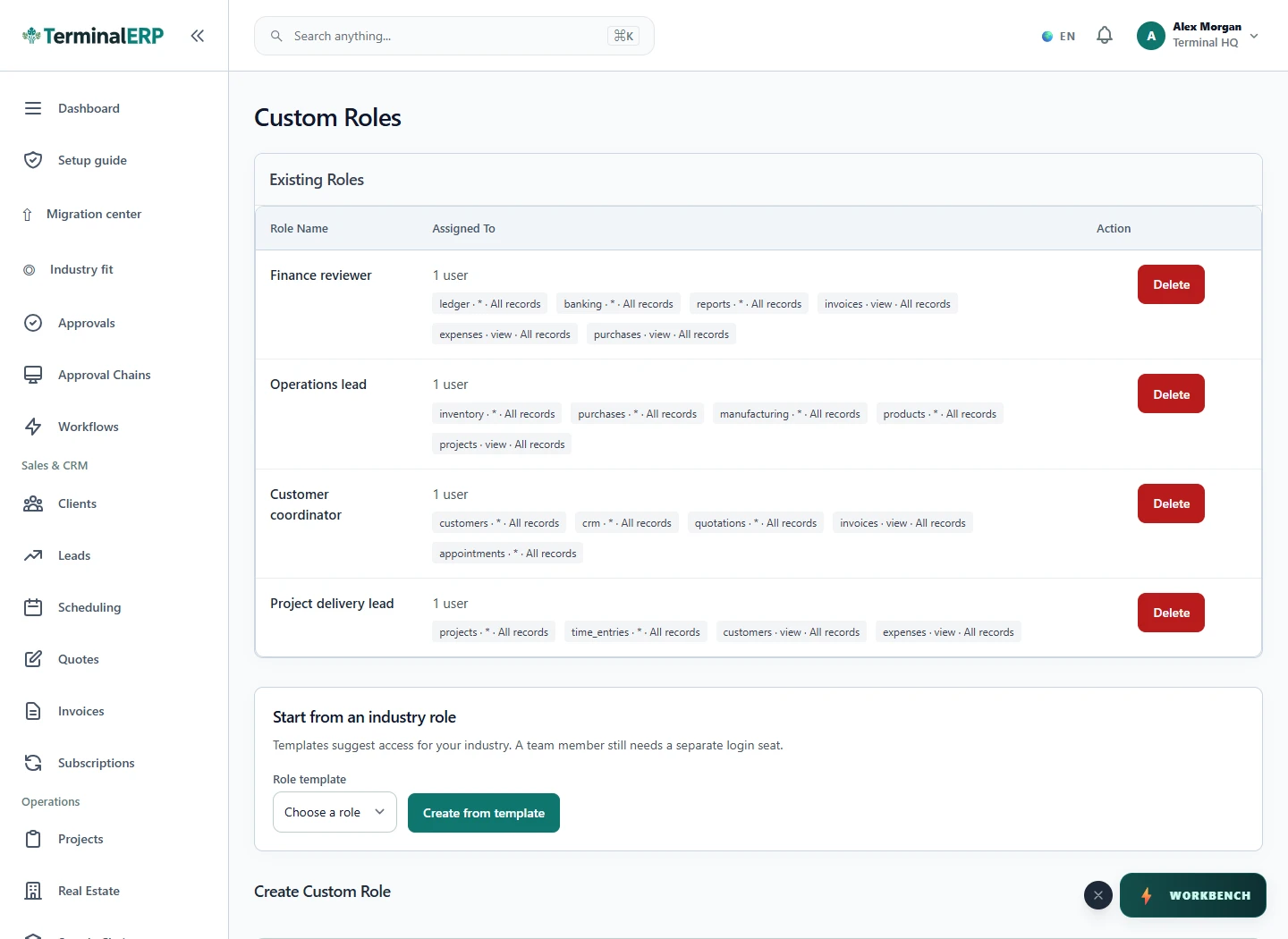
Check the result
- The smallest required permission is granted.
- Owner-only security and developer actions remain owner-only.
- A failed action produces a useful status or validation message rather than exposing another workspace.
If something does not look right
- Stop before confirming, posting, paying, deleting, or retrying the same submission.
- Check the workspace, record identifier, date range, status, permissions, and source evidence.
- Refresh once and search for the record before creating a replacement, so a slow response does not produce a duplicate.
Common problems and what to check
- One user fails while an owner succeeds: review role and record scope, then the allowed entity, branch or warehouse. Do not grant owner access just to make the page work.
- Everyone is blocked: check workspace status, plan/module access and the exact error. A locked accounting period is not resolved by a broader role.
When to contact support
If the source evidence and permissions are correct but the result is still wrong, send the page address, record number, exact message, time of the attempt, expected result, and what you already checked. Never include passwords, API keys, payment-card details, or private provider secrets.