

What this guide helps you do
Connect external systems with least-privilege API scopes, visible usage, and signed webhook delivery.
Before you start
- Only a workspace owner can manage developer credentials.
- List the exact records and actions the integration needs.
- Prepare a public HTTPS webhook endpoint if event delivery is required.
Step by step
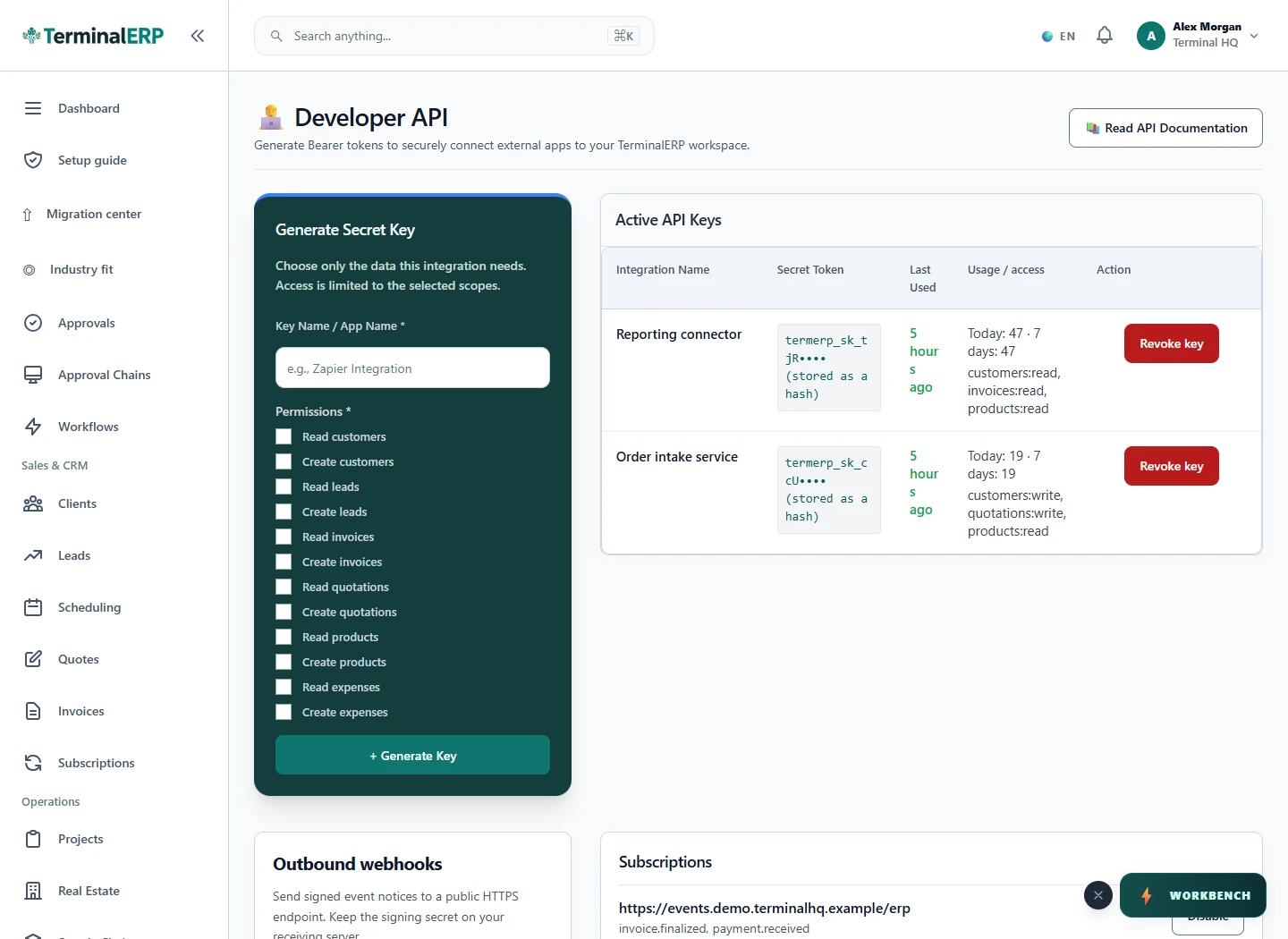
- Open Developer API in workspace settings.
- Generate a named key with only the required read or write scopes.
- Copy a newly generated secret once and store it in an approved secret manager.
- For webhooks, add the HTTPS endpoint and only the required event types.
- Verify signatures on the receiving server and monitor recent deliveries and API usage.
- Revoke a key or disable a webhook when its owner, purpose, or receiving system changes.
Find the workflow on screen
Check the result
- Secret values do not appear in screenshots, source control, or support messages.
- Usage volume matches the expected integration.
- Failed webhook deliveries are investigated before repeated retries.
If something does not look right
- Stop before confirming, posting, paying, deleting, or retrying the same submission.
- Check the workspace, record identifier, date range, status, permissions, and source evidence.
- Refresh once and search for the record before creating a replacement, so a slow response does not produce a duplicate.
Common problems and what to check
- An API call is denied: check the key is active, the exact scope, workspace ownership and any usage limit. Do not replace a read-only key with broad write access merely to diagnose a failure.
- Delivery fails: review the endpoint, HTTPS reachability, response code and signature verification. Make the receiver idempotent before replaying an event.
When to contact support
If the source evidence and permissions are correct but the result is still wrong, send the page address, record number, exact message, time of the attempt, expected result, and what you already checked. Never include passwords, API keys, payment-card details, or private provider secrets.